
Where Flight Simulation Enthusiasts Gather from Around the World!
AVSIM Library - Search Results

| Category: Flight Simulator X - Utilities | |
| Flight Plan Converter 213 |

|
Images related to this file:
File Description:
This is a tool which changes the Flightplan file of FSX into Flightplan file of PMDG use and Level-D use. This tool can be used also by Flightplan of FS2004.
| Filename: | Flight_Plan_Converter_213.zip |
| License: | Freeware |
| Added: | 26th November 2011, 09:10:10 |
| Downloads: | 1,524 |
| Author: | Shigeaki Moriya |
| Size: | 1.29 MB |
| Category: Flight Simulator X - Utilities | |
| FS Remote version 1.0 |
|
File Description:
Email: [email protected]
Name: Hans Elzer
Current version 1.0
Version 1.0 contains various little bug fixes plus Fuel management in the Engines dialog
FS-Remote a utility for remotely controlling FSX
The Zip file contains:
* Readme text file
* .NET 2.0 FS-Remote executable
* Configuration file for FS-Remote
* Document file in MSWord format
What you need to run FS-Remote:
* .NET 2.0 or 3.0 installed on the computer where you want to run FS-Remote
* FSUIPC4 (registered) on the computer where you run FSX
* WideClient (FSUIPC4 FSWide remote) if you want to run FS-Remote on a remote computer
It does what the title says FS-Remote controls FSX remotely through FSUIPC.
Just take a look at the (word) document that is contained in the zip file and look at some screen shots.
It can view and control the following items in FSX through FSUIPC:
* Aircraft - Control aircraft switches like Lights, Doors, Pushback, De-Ice and Jetway plus call fuel truck
* Auto Pilot - Control auto pilot switches plus reset altimeter and heading indicator instruments
* Radio - Control radio stack switches and push buttons plus view navigation status information
* Attitude - View attitude information and warnings plus convert and view various items in feet, meter, knots, mph and km/p
* Engines - Control engines auto start and stop plus fuel management
* Weather - not implemented jet (next version)
* Environment - View the local date, time and position environment information
* Date Time - Control and view the flight simulator date and time
* Message - View and send messages to flight simulator message bar
* FPS - View real-time flight simulator frames per second FPS rate
* About - View version information about FS-Remote, FSUIPC4 and FSX
Hope that you like it.
| Filename: | FS_Remote_version_10.zip |
| License: | Freeware |
| Added: | 9th September 2007, 15:26:14 |
| Downloads: | 1,439 |
| Author: | Hans Elzer |
| Size: | 353.2 KB |
| Category: Flight Simulator X - Utilities | |
| FSRemote 2.0 |
|
File Description:
Current version 2.0
Version 2.0 contains a new more graphical interface
Version 1.0 contains various little bug fixes plus Fuel management in the Engines dialog
FS-Remote a utility for remotely controlling FSX
The Zip file contains:
* Readme text file
* .NET 2.0 FS-Remote executable
* Configuration file for FS-Remote
* Document file in MSWord format
What you need to run FS-Remote:
* .NET 2.0 or 3.0 installed on the computer where you want to run FS-Remote
* FSUIPC4 (registered) on the computer where you run FSX
* WideClient (FSUIPC4 FSWide remote) if you want to run FS-Remote on a remote computer
It does what the title says FS-Remote controls FSX remotely through FSUIPC.
Just take a look at the (word) document that is contained in the zip file and look at some screen shots.
It can view and control the following items in FSX through FSUIPC:
* Aircraft - Control aircraft switches like Lights, Doors, Pushback, De-Ice and Jetway plus call fuel truck
* Auto Pilot - Control auto pilot switches plus reset altimeter and heading indicator instruments
* Radio - Control radio stack switches and push buttons plus view navigation status information
* Attitude - View attitude information and warnings plus convert and view various items in feet, meter, knots, mph and km/p
* Engines - Control engines auto start and stop plus fuel management
* Weather - not implemented jet (next version)
* Environment - View the local date, time and position environment information
* Date Time - Control and view the flight simulator date and time
* Message - View and send messages to flight simulator message bar
* FPS - View real-time flight simulator frames per second FPS rate
* About - View version information about FS-Remote, FSUIPC4 and FSX
Hope that you like it.
| Filename: | FSRemote_20.zip |
| License: | Freeware |
| Added: | 9th November 2007, 22:24:52 |
| Downloads: | 1,674 |
| Author: | Hans Elzer |
| Size: | 620.8 KB |
| Category: Flight Simulator X - Utilities | |
| vPilot Model Rule Set Generator 1.3.1 |
|
File Description:
A utility for generating model rule sets for vPilot. Can automatically detect and scan the installed simulator(s) (FSX, FSX:SE, P3D 1, 2, 3, 4) or be pointed to a specific directory (for example, a third party model set). Log output summarizes which aircraft.cfg files were found and scanned, how many models were added to the rule set, and how many were not added due to being unable to match to an aircraft type or airline code. Version 1.3 is a minor update: (1) Use the parking code for the airline code if it's three uppercase characters (2) In detailed mode, list out each unrecognized model in the summary (3) Bug fixes. Version 1.3.1 fixes an installer issue.
| Filename: | vPilot_Model_Rule_Set_Generator_131.zip |
| License: | Freeware, limited distribution |
| Added: | 18th November 2019, 00:02:19 |
| Downloads: | 150 |
| Author: | William Ruppel |
| Size: | 110.29 KB |
| Category: Flight Simulator X - Utilities | |
| FsTakeoffTrainer V1.0 |
|
Images related to this file:
File Description: With FsTakeoffTrainer, you can easily try real-world airline simulator
training in FSX! Adverse weather(Wind: Calm/Light/Max Crosswind/Turbulence,
Visibility: 1/8SM~20SM, Condition: Rain/Snow/Thunderstorm) and Engine
failure(before or after V1, left or right) can be generated by this simple
utility with only a few clicks. Sim training scenario examples are : Max
crosswind takeoff and landing; Low visibility, Engine failure before V1 to
Rejected Takeoff; Low visibility, Engine failure after V1 to takeoff and landing
with 1 engine; Manual landing with low visibility and turbulence. It is also
highly recommended to use with LoLa(Lord of Landing) to practice landing in
adverse weather. Requires FSX SP2.

| Filename: | FsTakeoffTrainer_V10.zip |
| License: | Freeware |
| Added: | 7th April 2013, 17:22:54 |
| Downloads: | 1,509 |
| Author: | Dongjin Shin |
| Size: | 1.81 MB |
| Category: Flight Simulator X - Utilities | |
| FSX Aircraft.Cfg Editor |
|
File Description:
The FSX Aircraft.CFG Editor is a simple, no-frills editor for direct editing of Aircraft.CFG files. It is handy when you want to make quick changes to a particular Aircraft.CFG file. Features: 1) Loads Cessna 172 Aircraft.CFG by default, 2) Automatically finds the FSX SimObjects\Airplanes folder, 3) Loads and displays all Aircraft.CFG items, 4) FSX-style GUI skin
| Filename: | FSX_AircraftCfg_Editor.zip |
| License: | Freeware |
| Added: | 14th December 2007, 02:06:34 |
| Downloads: | 4,795 |
| Author: | TweakFS (Fermin Fernandez) |
| Size: | 670.84 KB |
| Category: Flight Simulator X - Utilities | |
| ILS Approach Checklist |
|
Images related to this file:
File Description:
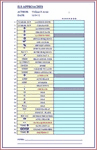
This is an easy to read Excel spreadsheet that is an ILS Approach Checklist that starts when you receive landing clearance by ATC that you are approx. 70 miles out from your assigned ILS Runway. By utilizing this checklist you will ensure not to forget any of the steps necessary for a successful ILS Landing. The following fields are provided:
(Landing Instructions) (Clearance) (Landing Info)
(Descent Rate) (ILS Frequency) (Course)
(Airport Elevation) (Radio Stack) (Nav 1 Frequency)
(Click Nav 1) (Hear Morse Code) (Enter Course)
(Enter Speed) (10 nm Cleared to Land) (Press Approach Button)
(Arm Auto Brake) (Arm Spoilers) (Gear Down)
(Set Flaps) (10-15-20-25-30-35-40 Flaps) (500' Disengage Auto-Pilot)
(Flare-Nose Up) (Reverse Thrusters) (Apply Brakes)
(Gate Assignment) (Gate Arrival) (Unload Passengers)
(Shutdown).
| Filename: | ILS_Approach_Checklist.zip |
| License: | Freeware |
| Added: | 5th February 2012, 14:15:06 |
| Downloads: | 1,569 |
| Author: | William R Ayers |
| Size: | 18.98 KB |
| Category: Flight Simulator X - Utilities | |
| FSRemote |
|
File Description:
It does what the title says FSRemote controls FSX remotely through FSUIPC.
Just take a look at the (word) document that is contained in the zip file and look at some screen shots.
It can view and control the following items in FSX through FSUIPC:
1. Environment - view Date Time and Position
2. Date Time - view and set Date and Time in FSX
3. Aircraft - view and set various aircraft items like Door, Lights, Push back and De-Ice
4. Attitude - view attitude and speed in feet, meter, knots, mp/h and km/h
5. Auto Pilot - view and set various Auto Pilot items
6. Radio - view and set almost all the radio items like in the radio stack
7. Engines - auto stop and start engines, not much jet
8. Message - view and send messages to FSX
9. Weather - not implemented jet
10. FPS - view chart and check the Frames per Second in FSX
11. About box with various version information.
What do you need run use FSRemote
1. .NET 2.0 installed on the comupter where you want to run FSRemote
2. FSUIPC4 on the computer where you run FSX
3. WideClient (FSUIPC remote) if you want to run FSRemote on a remote computer
The zip file includes:
1. .NET 2.0 FSRemote executable
2. Configuration file for FSRemote
3. Document file in MSWord
Hope you like it.
| Filename: | FSRemote.zip |
| License: | Freeware |
| Added: | 4th September 2007, 11:52:19 |
| Downloads: | 1,481 |
| Author: | Hans Elzer |
| Size: | 311.67 KB |
| Category: Flight Simulator X - Utilities | |
| Utopia performance data for MD-11 GE |
|
File Description:
PMDG MD-11 performance data for use with freeware program Utopia. These TOD files enable Utopia to accurately predict assumed temperatures according to departure airport & runway, TOGW and actual weather conditions. Also include is a chart which allows you to select an appropriate take-off flap setting.
| Filename: | Utopia_performance_data_for_MD11_GE.zip |
| License: | Freeware |
| Added: | 9th April 2009, 16:21:31 |
| Downloads: | 1,130 |
| Author: | Bryan Schleipen |
| Size: | 16.58 KB |
| Category: Flight Simulator X - Utilities | |
| PlanToRoute |
|
File Description:
PlanToRoute will take any FSX generated flight plan (.pln) and convert it to the .rt2 route format used by several add-on FMC systems (like PMDG), allowing you to use a flight plan for FS ATC with your add-on FMC. FOR FSX ONLY, requires Windows XP or Vista.
| Filename: | PlanToRoute.zip |
| License: | Freeware |
| Added: | 16th July 2008, 19:12:02 |
| Downloads: | 3,340 |
| Author: | Henning Schaefer |
| Size: | 330.61 KB |


© 2001-2026 AVSIM Online
All Rights Reserved
Privacy Policy |