
Where Flight Simulation Enthusiasts Gather from Around the World!
AVSIM Library - Search Results

| Category: Flight Simulator X - Miscellaneous Files | |
| Airport Light Environment For FS9 + FSX |

|
File Description:
This file redesigns all aiport lighting for every airport in both FSX and FS2004.
This file will display exactly the same in both FSX and FS2004 but the file is optimised to be used with Bloom within FSX to give a fantastic, realistic feel to the sim.
This file isn't designed to improve performance although some people have seen an increase in performance using this file, especially when using bloom.
Not only does this file redesign lighting, in FSX, but also Bloom. The bloom you will receive after installing this file is much more realistic than default
and enhances the "Bloom Effect" within FSX.
| Filename: | Airport_Light_Environment_For_FS9__FSX.zip |
| License: | Freeware |
| Added: | 29th May 2007, 14:53:02 |
| Downloads: | 30,119 |
| Author: | Luke Harvest |
| Size: | 1.26 MB |
| Category: Flight Simulator X - Miscellaneous Files | |
| PMDG made EZ (version 3) |
|
File Description:
- Now includes the 747 v3 profile, all variants! Also added freighter variants - This package now includes EZDOK profiles for the following PMDG aircraft: MD-11(F), 737 NGX (600/700/800/900), 747-400X, 747 v3 (including BCF/D/F/M variants) 777-200LR, 777-300ER, 777F. They all include walkaround , various cabin, cockpit jumpseat and pushback views. The big advantage of my views - as opposed to the default PMDG views - is that I zoomed in to 90% while still maintaining usable views. With this 90% zoom the runways look wider and the buildings appear closer to your aircraft and less distorted. Also the round instruments look a bit less oval.
| Filename: | PMDG_made_EZ_version_3.zip |
| License: | Freeware |
| Added: | 21st March 2017, 18:42:45 |
| Downloads: | 8,555 |
| Author: | Robin Heinis |
| Size: | 957.49 KB |
| Category: Flight Simulator X - Miscellaneous Files | |
| Xenon Lights 3.0 |
|
File Description:
FSX Xenon Lights 3.0 (complete package). The third version of the "Xenon Lights" now for the Flight Simulator FSX. Realistic xenon lights with complete newly designed textures, now in four different grades of detail and brightness. This texture pack adds a special realistic xenon light for all aircraft, offering a much better view to the runway or taxiway. This texture package changes the default lights from FSX to the modern xenon look. Easy installation manual and previews and textures for restoring back to the FSX default lights are included. (Each of the previous versions of the xenon files had more than 13000 downloads on flightsim.com). By Dirk Kurze.
| Filename: | Xenon_Lights_30.zip |
| License: | Freeware, limited distribution |
| Added: | 2nd March 2007, 20:55:45 |
| Downloads: | 17,763 |
| Author: | Dirk Kurze |
| Size: | 5.66 MB |
| Category: Flight Simulator X - Miscellaneous Files | |
| Lancair Legacy FSX Checklist |
|
Images related to this file:
File Description:
This file contains modified checklists for the RealAir Simulation Lancair Legacy for FSX.
I found that the checklist provided by the developer had some missing information, and I wanted to have the right information at hand to fly this great plane properly.
So, I decided to modify their checklists and make a booklet resembling the ones used by real crews.
Additions include:
Colors, pictures and logos. Sections were organized according to the stage of the flight. Important settings (engine or speed) are highlighted. Emergency procedures were also added. The last page has important information on engine performance, maximums, and VSpeeds... so that you can find the right info in no time.
This checklist is provided in Microsoft Publisher format. So anyone can modify as you consider necessary. For printing instructions, see the file. It contains pictures of the actual booklet that didn't cost me 5 dollars :) :)
Hope you find it useful.
| Filename: | Lancair_Legacy_FSX_Checklist.zip |
| License: | Freeware |
| Added: | 17th March 2014, 05:33:20 |
| Downloads: | 444 |
| Author: | Nicolas Tautiva |
| Size: | 4.44 MB |
| Category: Flight Simulator X - Miscellaneous Files | |
| The Great Framerate Reliever Guide |
|
File Description:
The "Great Framerate Reliever Guide" is a lofty title for a FS9/FSX guide I wrote to explain how to make the most of your flight simulation experience in FS9 and FSX using just a few minor utilities, and spending less than $50 USD. Thanks to the hard work of many individuals, setups like this are entirely practical and won’t have you sitting in the “FS doghouse” with your significant other. If you want to retrieve some of those lost framerates in either FS9 or FSX, this is a must-read. Also included in this package is a modified FS9.cfg file for FS9 users, which has allowed FS9 users to squeeze even more framerates out of your FS setup.
Don't be envious of your neighbors Flight Sim setup. I've been using this setup for years now, and it's enabled me to thoroughly enjoy my simulation experience, even as budgets waned.
| Filename: | The_Great_Framerate_Reliever_Guide.zip |
| License: | Freeware |
| Added: | 7th March 2008, 00:49:32 |
| Downloads: | 8,147 |
| Author: | Mark McCoy |
| Size: | 286.87 KB |
| Category: Flight Simulator X - Miscellaneous Files | |
| Turbine Duke Checklist |
|
Images related to this file:
File Description:
This file contains modified checklists for the RealAir Simulation Turbine Duke for FSX. I found that the checklist provided by the developer had some missing information, and I wanted to have the right information at hand to fly this great plane properly. So, I decided to modify their checklists and make a booklet resembling the ones used by real crews. Additions include: Colors, pictures and logos. Sections were organized according to the stage of the flight. Important settings (engine or speed) are highlighted. Emergency procedures were also added. The last page has important information on engine performance, maximums, and VSpeeds... so that you can find the right info in no time. This checklist is provided in Microsoft Publisher format. So anyone can modify as necessary. For printing instructions, see the file. It contains pictures of the actual booklet that didn't cost me 5 dollars :) :) Hope you find it useful.
| Filename: | Turbine_Duke_Checklist.zip |
| License: | Freeware |
| Added: | 9th June 2014, 05:42:30 |
| Downloads: | 638 |
| Author: | Nicolas Tautiva |
| Size: | 6.36 MB |
| Category: Flight Simulator X - Miscellaneous Files | |
| FSX A321 Workaround for Shockwave 3d – Redux lights |
|
File Description:
FSX A321 landing or taxi lights only in shockwave Redux.
Workaround for Shockwave 3d – Redux lights in the default A320. (an easter egg!)
When you install the Shockwave 3d lights (both the plain version and the Redux version) you will end up with a plane that can not land with it’s lights on without having it’s gear down.
Luckily, there is a taxi light switch on the overhead panel that works.
Therefore by removing the “lights out when gear up command” by the shockwave gauge, lights won’t go out when gear is up any more.
Now you’ll have to switch the gear lights (not the landing lights!) off by clicking the taxi lights switch on the overhead, and the taxi (gear) lights actually go out, while the landing lights stay on (and vice versa, and you also can have both on or off at the same time)
| Filename: | FSX_A321_Workaround_for_Shockwave_3d__Redux_lights.zip |
| License: | Freeware |
| Added: | 23rd March 2008, 00:32:29 |
| Downloads: | 1,167 |
| Author: | Joost Visser |
| Size: | 911.71 KB |
| Category: Flight Simulator X - Miscellaneous Files | |
| FSX Metal GUI |
|
Images related to this file:
File Description:
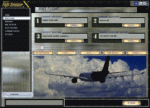
I designed this for myself to darken the default User Interface for 2 reasons. I have bad eyes that are sensitive to bright objects on the screen, and I like to fly the simulator in the evening hours with the lights turned off in the room. I hope you like my end result.
I also added 2 bonus features. Instead of hearing the Windows/Internet Explorer click sound when you mouse click on a menu item, you now will hear the "Fasten Seatbelts" sound effect. Be sure to back up the original sound "checkc" in case you find the new sound annoying. Secondly, I have included 4 optional Aircraft Viewer images that give the selected aircraft a more airborne look. I will make switching these simple by adding them to the Generic Mod Enabler(JSGME) that I will include in the download.
The look is created using Diamond Plate and Polished Aluminum textures, and modifying the buttons with some more color.
This is Freeware, and I am giving permission to anyone that wants to create their own and upload to any site they wish. I do not wish that you have to mention my name in any credits.
| Filename: | FSX_Metal_GUI.zip |
| License: | Freeware |
| Added: | 20th November 2011, 00:12:46 |
| Downloads: | 462 |
| Author: | Todd McCuistion |
| Size: | 7.83 MB |
| Category: Flight Simulator X - Miscellaneous Files | |
| PilotenPost55 |
|
Images related to this file:
File Description:

PilotenPost Monthly magazine for Dutch FS Pilots in Dutch and double Dutch. This month: RNAV, Gauges, Bediening op afstand, EETN freeware scenery. Merry Christmas everybody!
| Filename: | PilotenPost55.zip |
| License: | Freeware, limited distribution |
| Added: | 20th December 2014, 14:44:30 |
| Downloads: | 390 |
| Author: | Joost Visser |
| Size: | 2.73 MB |
| Category: Flight Simulator X - Miscellaneous Files | |
| Checklists Baron B55 GTN 750 |
|
File Description:
Checklists for Milviz Baron B55 to be used with Flight1 GTN 750.
Includes Normal Procedures, Emergency Procedures and References. Requires Flight1 GTN750, v1.14 or higher.
| Filename: | Checklists_Baron_B55_GTN_750.zip |
| License: | Freeware |
| Added: | 10th July 2016, 14:20:40 |
| Downloads: | 154 |
| Author: | Filippo Nesi |
| Size: | 5.26 KB |


© 2001-2026 AVSIM Online
All Rights Reserved
Privacy Policy |