
Where Flight Simulation Enthusiasts Gather from Around the World!
AVSIM Library - Search Results

| Category: Flight Simulator X - Aircraft Repaints, Textures and Modifications | |
| FS2004/FSX/P3D Project OpenSky V4 Japan Airlines JA8089 Boeing 747-446 |

|
Images related to this file:
File Description:

(TEXTURES ONLY)
(ONLY TESTED IN FSX: STEAM EDITION)
So I made a slight mistake in my last add-on (The Northwest Orient Cargo 747-200SF one) where I provided the resources required for advanced animations to be enabled in the POSKY 747 from Rikoooo, since in they default they did not include it. In there, I accidentally added the wrong "Contact Points" line that causes the 2 inner main landing gears to be slightly tilted when on the ground. I fixed it here. To apply the fix, just copy and paste the contact lines inside the aircraft.cfg file, that's it.
I originally supposed to be making 1 single livery for this exact aircraft, which is the 2002 Colors wearing the "Thank you for 41 Years" Sticker, but then went into a rabbit hole and found about the small Yokoso! Japan Sticker in the 2000s, the "BIG express" Decal in the 90s, and also the "Nippon Love Goal" Sticker. So I just had to do it.
I also improved the windows by using the windows from the CLS 747 Paint Kit, and re-arranged them.
Instructions and more information are included in the readme file.
| Filename: | FS2004FSXP3D_Project_OpenSky_V4_Japan_Airlines_JA8.zip |
| License: | Freeware |
| Added: | 19th March 2026, 14:09:48 |
| Downloads: | 69 |
| Author: | Ryubunao |
| Size: | 409.76 MB |
| Category: Flight Simulator X - Aircraft Repaints, Textures and Modifications | |
| Exterior Enhancement Pack for the 737-700 NGX |
|
Images related to this file:
File Description:
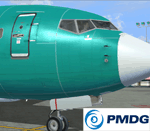
**Revised March 20th 2012** After a lot of positive feedback from forum members, and some very constructive pointers and photos from Ryan (aka Tabs), I've revised the bumps to be a bit closer to a real-world appearance. So if you prefer a more exaggerated appearance (deeper lines, higher rivets) you may prefer the first set over this revision. A completely new set of spec files (for shine and reflection) and bump maps (for surface detail) to update the exterior of your PMDG 737-700 NGX. They can be used over any existing livery for the -700 model. The bump files are in 4096 res (default is 1024) so they will use more memory, but have no noticeable effect on performance on my low-end core2 duo system aside from a slightly longer loading time. The package includes two folders; one for the specular files and the other for the bump maps. Simply drop them into the aircraft texture of your choice and you're ready to fly. More detailed instructions for installation are included. The PMDG NGX base pack and 600/700 model expansion are required. Additional before and after photos are posted in the PMDG NGX support forum.
| Filename: | Exterior_Enhancement_Pack_for_the_737700_NGX.zip |
| License: | Freeware |
| Added: | 20th March 2012, 19:26:56 |
| Downloads: | 3,808 |
| Author: | Chris Hicks, PMDG |
| Size: | 21.45 MB |
| Category: Flight Simulator X - Aircraft Repaints, Textures and Modifications | |
| "Red, white, silver, and black" Embraer EMB-505 Phenom 300 (N64RM) |
|
Images related to this file:
File Description:

This is a modification to one of the default liveries from Carenado. The original was the flag bearer of the Embraer sales team for several years but there are too many of the smaller brother Phenom 100s out there with the same paint job.
I removed all the drips and wrap around subtle coloring up front and now we have a solid white front end. I changed the weak orange looking color to a bright red for the wide bold stripe that tends to identify Phenoms and I replaced the orange stripe on the tail that makes the reverse C with the same bright red plus a white border to make it stand out. I added an American Reg Number just for the heck of it - N64RM.
This is a beautiful livery and should be just different enough to make you want to fly it often. It could make a personal aircraft for many Carenado Phenom 300 pilots. There will be a couple of slight changes to this livery down the road. I am working on one with a blue band and it will be N54RM. I'm not sure of the color for N44RM but it will be coming.
You will need to have the Carenado payware EMB505 HD Phenom 300 installed to use this repaint. It is for FSX, P3D, and FSX:Steam only.
| Filename: | Red_white_silver_and_black_Embraer_EMB505_Phenom_3.zip |
| License: | Freeware |
| Added: | 3rd October 2015, 18:34:51 |
| Downloads: | 726 |
| Author: | Ray Marshall |
| Size: | 26.91 MB |
| Category: Flight Simulator X - Aircraft Repaints, Textures and Modifications | |
| Beech D18S repaint 6-pack |
|
Images related to this file:
File Description:
FSX Beech D18S. Six repaints for the Shupe/Thomas/Folkers
Beech D18S, which you must have previously installed in FSX.
I fly the version modified for FSX SP2/ACC by Dave Carroll,
but I'll bet these textures will work with most other Shupe
Beech 18's as well, so give them a try and see! These 18's
are fresh from the restoration shop, sporting new paint in a
variety of colors and a newly remodeled earth tone tan interior,
which will nicely match any exterior paint schemes on these or
any other Shupe Beech 18's you may already have in your hangar.
There are no registration numbers or
corporate/airline/charter/freighter/military markings, so you
are free to add whatever markings you wish in order to customize
your own personal Beech 18. If you enjoy using your 'DXTBmp'
program and your computer's default 'MS Paint' program
(or any paint program you prefer), you can quickly and easily
add your own registration numbers, and other markings,
or whatever else pleases you! Those of you who fly online in
FSX Acceleration could customize your own Beech 18's and have
a fly-in to show them off. Don't feel like finishing the paint
details? That's cool, as you can also fly them as is if you wish,
with no numbers or markings at all, as they look kinda pretty
in just their new paint against a sunny blue sky! Includes a
new shared 'texture' folder, which replaces the original
very blue cabin interior with a new earth tone tan colored interior,
to better match all of your Beech 18's exterior paints. Also includes
an FSX compatible engine smoke effect. Have fun! Easy installation.
By Tom Tiedman
| Filename: | Beech_D18S_repaint_6pack.zip |
| License: | Freeware |
| Added: | 6th October 2010, 00:08:11 |
| Downloads: | 355 |
| Author: | Tom Tiedman |
| Size: | 59.58 MB |


© 2001-2026 AVSIM Online
All Rights Reserved
Privacy Policy |