
Where Flight Simulation Enthusiasts Gather from Around the World!
AVSIM Library - Search Results

| Category: Flight Simulator X - Aircraft Repaints, Textures and Modifications | |
| FSX/P3D Thomas Ruth Air Leisure Egypt SU-GBM Airbus A340-212 |

|
Images related to this file:
File Description:

(TEXTURES ONLY)
(ONLY TESTED IN FSX: STEAM EDITION)
This was requested by Ahmed Fouad on the Facebook as well as in Flightsim. This has been requested by him for a while so I decided to do it.
Happy New Years guys! This is my first livery for the year. Sadly, as of writing this, Flightsim just went offline for renovation and may stay like that for who knows how long. Could be days, weeks, or even months.
I used the placards from Joey_C's Dragonair A330-300 Livery for the Bulk Cargo Doors as well as the Cargo Door Levers. He is the same user I asked permission from to use his decals and door placards for my Dragonair Cargo 747-300SF Livery, so thanks to him again for letting me borrow his textures with his permission! You should also check out his page if you like flying with X-Plane!
I spent a few hours on this livery just by doing the logo alone. Since I needed a high quality photo of the tail logo, I used OpenAI's ChatGPT to upscale the logo and it did, though the edges still look very pixelated. So I spent a few hours trying to re-draw every line so it could be the highest quality as possible.
I further spent the entire day trying to find photos of the cargo door placards, specifically the "CARGO DOOR OPERATIONS" Instructions text. In real life, it included both in English and Arabic. I tried looking for a photo of the instructions for hours until I found it on a YouTube Shorts video. Then I used that as a reference which also took me a few hours trying to make lines, outlines, and text for it. I didn't want to spend more time doing the same thing for the Arabic text, so I used ChatGPT to translate all of the text and I just remove the background using DXTBMP.
Instructions and more information are included in the readme file.
| Filename: | FSXP3D_Thomas_Ruth_Air_Leisure_Egypt_SUGBM_Airbus_.zip |
| License: | Freeware |
| Added: | 3rd January 2026, 14:44:37 |
| Downloads: | 37 |
| Author: | Ryubunao |
| Size: | 79.81 MB |
| Category: Flight Simulator X - Aircraft Repaints, Textures and Modifications | |
| Azul LInhas Aereas "Nação Azul" Airbus A330-200 (PR-AIV) |
|
Images related to this file:
File Description:

Repaint for Blackbox v0.85 A330-200 RR Azul LInhas Aereas "Nação Azul" (PR-AIV) for FSX/P3D. Textures only. Installation instructions on readme file. Don't forget to visit and like us on Facebook! http://www.facebook.com/hangar226; http://elmikey.wixsite.com/hangar226.
| Filename: | Azul_LInhas_Aereas_Nao_Azul_Airbus_A330200_PRAIV.zip |
| License: | Freeware |
| Added: | 27th December 2016, 18:39:11 |
| Downloads: | 1,113 |
| Author: | Miguel Angel Taboada |
| Size: | 10.89 MB |
| Category: Flight Simulator X - Aircraft Repaints, Textures and Modifications | |
| Czech Airlines "Fly to the City of Magic" Airbus A319 (OK-NEP) |
|
Images related to this file:
File Description:

Repaint for Aerosoft A319 v1.3 Czech Airlines "Fly to the City of Magic" (OK-NEP) for FSX/P3D. Textures only. Installation instructions on readme file. Don't forget to visit and like us on Facebook! http://www.facebook.com/hangar226 http://elmikey.wix.com/hangar226
| Filename: | Czech_Airlines_Fly_to_the_City_of_Magic_Airbus_A31.zip |
| License: | Freeware |
| Added: | 14th June 2015, 00:25:35 |
| Downloads: | 1,566 |
| Author: | Miguel Angel Taboada |
| Size: | 17.24 MB |
| Category: Flight Simulator X - Scenery | |
| Toulouse Blagnac (LFBO) v1 |
|
File Description:
This is an addon scenery for FSX of the Toulouse Blagnac Airport LFBO. It has been made using the excellent freeware tool Airport Design Editor for the layout. I have used Sketchup from Google and Model Converter X to design the buildings of the airport.
You will find all the terminals of LFBO and the control tower, as well as the Airbus facilities of the A380 Lagardere plant North East of LFBO, the A380 delivery center Henry Ziegler North West of LFBO, and some buildings of the Airbus facilities in Blagnac, West of LFBO. All buildings have photo textures, most of them taking with my camera, as I am working in the area. All buildings include night textures. You have two landing pads for helicopters like in reality South East of LFBO.
I used google earth for some items position, but the current view not being up to date, I used my knowledge of the area to correctly position the taxiways, parkings, gates and building position.
I used the FSX generic buildings for the other missing buildings, however they have the size and position which corresponds as far as possible to the position of the real buildings. The surroundings of the airport not being too realistic with Ultimate Terrain X or with FSX, I have modified the landclass of the surroundings to make them look more in accordance with reality. I have changed the parking assignment to make sure that the usual traffic will park on the parkings E, F D AB, V and U.
| Filename: | Toulouse_Blagnac_LFBO_v1.zip |
| License: | Freeware |
| Added: | 21st December 2011, 13:09:29 |
| Downloads: | 23,280 |
| Author: | Jose Mauriz |
| Size: | 34.72 MB |
| Category: Flight Simulator X - Scenery | |
| Concord NC X - Textures 1 ONLY |
|
File Description:
Requirements: -Microsoft Flight Simulator X (not tested with FS2004)
Optional Requirements: -Ultimate Terrain X (tested with the latest version out as of June 2015)
-Orbx Global FTX
Install: Simply place the "Concord NC X" folder inside your FSX Addon Scenery folder, go inside FSX, activate the scenery and enjoy!
FOR TEXTURES!!!: Create A Textures Folder Inside The ConcordNCX Folder , restart FSX and enjoy!
Concord NC X includes:
- Up to date KJQF (Concord Regional Airport) (June 2015)
- Photoreal scenery in and around the Concord Regional Airport
- Custom night lighting!!
- Charlotte Motor Speedway (with Autogen)
- New parking at KJQF
- Longer runway to current 7000+ ft length at KJQF
- Autogen on photoscenery (not just textures but also autogen!)
Kaleem Beats Sceneries is a local Charlotte, NC scenery maker.
This is our first project and a V2 will be in the making soon.
Questions, Comments, Concerns: [email protected]
| Filename: | Concord_NC_X__Textures_1_ONLY.zip |
| License: | Freeware |
| Added: | 25th June 2015, 08:02:39 |
| Downloads: | 405 |
| Author: | William Campbell |
| Size: | 66.54 MB |
| Category: Flight Simulator X - Scenery | |
| Concord NC X - Textures 2 ONLY |
|
File Description:
Requirements: -Microsoft Flight Simulator X (not tested with FS2004) Optional Requirements: -Ultimate Terrain X (tested with the latest version out as of June 2015) -Orbx Global FTX Install: Simply place the "Concord NC X" folder inside your FSX Addon Scenery folder, go inside FSX, activate the scenery and enjoy! FOR TEXTURES!!!: Create A Textures Folder Inside The Concord NC X Folder , restart FSX and enjoy! Concord NC X includes: - Up to date KJQF (Concord Regional Airport) (June 2015) - Photoreal scenery in and around the Concord Regional Airport - Custom night lighting!! - Charlotte Motor Speedway (with Autogen) - New parking at KJQF - Longer runway to current 7000+ ft length at KJQF - Autogen on photoscenery (not just textures but also autogen!) Kaleem Beats Sceneries is a local Charlotte, NC scenery maker. This is our first project and a V2 will be in the making soon. Questions, Comments, Concerns: [email protected]
| Filename: | Concord_NC_X__Textures_2_ONLY.zip |
| License: | Freeware |
| Added: | 25th June 2015, 08:02:50 |
| Downloads: | 314 |
| Author: | William Campbell |
| Size: | 74.97 MB |
| Category: Flight Simulator X - Scenery | |
| Concord NC X - Textures 3 ONLY |
|
File Description:
Requirements: -Microsoft Flight Simulator X (not tested with FS2004) Optional Requirements: -Ultimate Terrain X (tested with the latest version out as of June 2015) -Orbx Global FTX Install: Simply place the "Concord NC X" folder inside your FSX Addon Scenery folder, go inside FSX, activate the scenery and enjoy! FOR TEXTURES!!!: Create A Textures Folder Inside The ConcordNCX Folder , restart FSX and enjoy! Concord NC X includes: - Up to date KJQF (Concord Regional Airport) (June 2015) - Photoreal scenery in and around the Concord Regional Airport - Custom night lighting!! - Charlotte Motor Speedway (with Autogen) - New parking at KJQF - Longer runway to current 7000+ ft length at KJQF - Autogen on photoscenery (not just textures but also autogen!) Kaleem Beats Sceneries is a local Charlotte, NC scenery maker. This is our first project and a V2 will be in the making soon. Questions, Comments, Concerns: [email protected]
| Filename: | Concord_NC_X__Textures_3_ONLY.zip |
| License: | Freeware |
| Added: | 25th June 2015, 08:03:00 |
| Downloads: | 324 |
| Author: | William Campbell |
| Size: | 96.14 MB |
| Category: Flight Simulator X - Scenery | |
| Concord NC X - Textures 4 ONLY |
|
File Description:
Requirements: -Microsoft Flight Simulator X (not tested with FS2004) Optional Requirements: -Ultimate Terrain X (tested with the latest version out as of June 2015) -Orbx Global FTX Install: Simply place the "Concord NC X" folder inside your FSX Addon Scenery folder, go inside FSX, activate the scenery and enjoy! FOR TEXTURES!!!: Create A Textures Folder Inside The ConcordNCX Folder , restart FSX and enjoy! Concord NC X includes: - Up to date KJQF (Concord Regional Airport) (June 2015) - Photoreal scenery in and around the Concord Regional Airport - Custom night lighting!! - Charlotte Motor Speedway (with Autogen) - New parking at KJQF - Longer runway to current 7000+ ft length at KJQF - Autogen on photoscenery (not just textures but also autogen!) Kaleem Beats Sceneries is a local Charlotte, NC scenery maker. This is our first project and a V2 will be in the making soon. Questions, Comments, Concerns: [email protected]
| Filename: | Concord_NC_X__Textures_4_ONLY.zip |
| License: | Freeware |
| Added: | 25th June 2015, 08:03:08 |
| Downloads: | 310 |
| Author: | William Campbell |
| Size: | 81.28 MB |
| Category: Flight Simulator X - Scenery | |
| Patch for 75 AI Ships and AI Ship Traffic |
|
Images related to this file:
File Description:
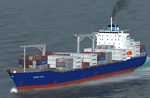
This package contains an update to be used with my packages "63 AI Ships and AI Ship Traffic for Europe and South America" and "75 AI Ships and AI Ship Traffic" when they are used together and to "75 AI Ships and AI Ship Traffic", when it is used alone. It replaces the ship "AI_Hyundai_Container" with an improved model, it corrects a problem with a model cfg file and it adds a missing wake texture.
If you install this patch you do not need the "Patch for 63 AI Ships and AI Ship Traffic" but you must install this update as the last in the installation process for my AI Shipping.
This package is part of a Global AI Shipping project for FSX, however, the container ship models included in this package can also be used individually for creating your own AI ship traffic.
| Filename: | Patch_for_75_AI_Ships_and_AI_Ship_Traffic.zip |
| License: | Freeware |
| Added: | 23rd August 2013, 23:50:07 |
| Downloads: | 11,012 |
| Author: | Henrik Nielsen |
| Size: | 1.8 MB |
| Category: Flight Simulator X - Utilities | |
| Gate A Nator Pre Flight Planning tool 2.1 |
|
Images related to this file:
File Description:
Gate A Nator is a freeware pre-flight tool for FSX and Prepar3D that allows to customize a flight plan before starting a flight simulation session. Can set departing Gate position and can load flight plans from FSX/FS2004, Prepar3D, LEVELD, PMDG, Quality Wings and Flight Sim Commander, or from an ICAO route, and using Airac cycles (FSBuild2 format) to read navaids from. Installation package installs Airac Cycle 1904, that can be after updated from Navigraph. Gate/parking database is auto created and updated from FSX or Prepar3D scenery base.
It supports file save and export to FS2004, FSX, Prepar3D, LEVELD, PMDG, Quality Wings, Flight Sim Commander, XPlane 11 and Aerosoft Airbus/X extended.
Complete instructions guide is included in the help file.
| Filename: | Gate_A_Nator_Pre_Flight_Planning_tool_21.zip |
| License: | Freeware |
| Added: | 29th April 2019, 17:10:54 |
| Downloads: | 216 |
| Author: | Alessandro Antonini |
| Size: | 21.37 MB |


© 2001-2026 AVSIM Online
All Rights Reserved
Privacy Policy |