
Where Flight Simulation Enthusiasts Gather from Around the World!
AVSIM Library - Search Results

| Category: Flight Simulator X - Aircraft Repaints, Textures and Modifications | |
| United Airlines Boeing 737 MEGA Pack (700-800-900) |

|
Images related to this file:
File Description:

United Airlines, is an American major airline headquartered in Chicago, Illinois. United is a wholly owned subsidiary of United Continental Holdings following a $3 billion merger in 2010. The airline was previously owned, at one point in its history, by The Boeing Company, one of the world's largest aircraft manufacturers. Since its merger with Continental Airlines, the company boasts more revenue passenger miles than any airline in the world.
United Airlines's livery painted on PMDG Boeing 737 NGX WL model. The textures are saved in DDS format for quality graphics. Textures are also characterized by HD (High Definition). Its features are idle-reverser animation, animated pack vents and pressurisation outflow valve, detailed textures, accurate paint, dynamic shine & effects, dynamic flexing wings that respond to turbulence, fully independent suspension, trim animation, gear steering, accurate flight dynamics, spoiler animation, reflective cockpit windows, improved wingflex code with input from several new parameters including ground spoilers, fuel load, and angle of attack, transparent navigation light lenses and many more. "HD EXPERIENCE" INSIDE.
Visit our Facebook page "Sky Level Textures" for news, updates and previews on my future repaint projects. Thanks for downloading & Happy flying.
| Filename: | United_Airlines_Boeing_737_MEGA_Pack_700800900.zip |
| License: | Freeware |
| Added: | 30th March 2014, 14:12:29 |
| Downloads: | 6,372 |
| Author: | Giacomo Tomasini | Sky Level Textures |
| Size: | 127.45 MB |
| Category: Flight Simulator X - Aircraft Repaints, Textures and Modifications | |
| Korean Airlines Boeing 747-4B5 (HL7473 and HL7494) |
|
Images related to this file:
File Description:
Korean Airlines New Livery Boeing 747-4B5 (HL7473 and HL7494). REPAINT ONLY FOR FSX PMDG 747-400.
Features:
1. Korean Airlines Logo (New Livery with correct positions in referenced to the aircraft).
2. Accurate placement of the SkyTeam Logo.
3. Korean text below the first class windows.
4. Studied and averaged precise sky blue color for fuselage.
5. Grey Stripe also averaged for closest match.
6. Grey Engine colors.
7. Korean Airlines Logo on the engines (accurate placement and removed engine warnings).
8. Accurate winglets with correctly flipped logo and blue textures.
9. Grey/White inside of winglets.
9. Boeing 747-400 decal above the last set of 8 windows (in Boeing font and accurate dark blue color).
10.Registration on the tail in accurate position, spacing, font, and color.
11.Korean Air logo flipped correctly (right side) and Flag included on top.
12.Added dirt textures to tail and aft belly.
13.Registration in accurate place on wing (color and font also studied and accurate).
14.Registration included on bottom of the wing as well.
| Filename: | Korean_Airlines_Boeing_7474B5_HL7473_and_HL7494.zip |
| License: | Freeware, limited distribution |
| Added: | 25th December 2014, 01:13:37 |
| Downloads: | 1,170 |
| Author: | Rohan Patel |
| Size: | 10.8 MB |
| Category: Flight Simulator X - Utilities | |
| NpC - Numpad Control for FSX v2.2.1 |
|
File Description:
NpC v2.21 - some small changes from v2.2 including a script you can use to switch autopilot input from Nav to GPS and instructions on moving and re-sizing and re-positioning the NpC message window.
NumPad Control (NpC) is a program for entering Com, Nav and ADF radio frequencies, Transponder codes, VOR OBS/CRS settings, Auto-throttle airspeed, and Autopilot altitude, vertical speed, and heading values in FSX using the keyboard number-pad instead of mouse click spots. NpC is programmed primarily for aircraft with default FSX avionics (radios, transponders, and autopilots that were developed within standard FSX programming guidelines). However, this updated version of NpC also supports a number of third party add-on aircraft such as the PMDG 737NGX / B777, Flight1 King Air B200 and the A2A Cherokee 180. NpC is a set of Lua scripts and thus requires a registered copy of FSUIPC4 to work.
An installation and configuration manual is also included in the file set.
For a video that gives an overview of NpC function see: https://www.youtube.com/watch?v=P2p6CHxMOl8&list=PL_NnG_PN8zwnEI59uGxlhgp11rJQbQ_gJ&index=2
| Filename: | NpC__Numpad_Control_for_FSX_v221.zip |
| License: | Freeware |
| Added: | 4th December 2015, 20:03:34 |
| Downloads: | 699 |
| Author: | Al Klayton, Dan Sullivan |
| Size: | 801.63 KB |
| Category: Flight Simulator X - Miscellaneous Files | |
| Boeing 737-800 NGX Cold and Dark to Cold and Dark |
|
File Description:
These files describe the steps required to bring the PMDG 737 NGX from Cold and Dark to takeoff to landing and finally back to Cold and Dark. The package includes:
1) Illustrations of the primary panels in the airplane
a) Forward Overhead Panel
b) Aft Overhead Panel
c) Flight Panel
d) Throttle Panel
e) Aft Electronics Panel
2) 11 pages of "checklists" covering the following topics (Word Document)
a) Cold and Dark Startup
b) CDU Configuration
c) Cockpit Configuration (Pre-pushback)
d) Before Engine Start
e) Pushback and Engine Start
f) Takeoff
g) Descent Planning
h) Top of Descent
i) Descent (30-10nm)
j) Descent (10nm through Approach)
k) Landing
l) After Landing
m) Shutdown
n) Secure
3. Illustrations of the primary panels in the NGX
a) Forward Overhead
b) Aft Overhead
c) Flight Panel
d) EFIS-MCP
e) Throttle Quadrant
f) Aft Electronics Panel
4) A descent calculator that takes into account altitude change, speed change, head/tailwind ... gives a distance required to make the airport in nautical miles (Excel Spreadsheet).
5) Airport information "cheat sheet (Word Document).
Criticisms, constructive and negative, will be reviewed at [email protected]
| Filename: | Boeing_737800_NGX_Cold_and_Dark_to_Cold_and_Dark.zip |
| License: | Freeware |
| Added: | 27th February 2013, 02:45:53 |
| Downloads: | 2,419 |
| Author: | Charles Blankenship |
| Size: | 1.15 MB |
| Category: Flight Simulator X - Flight Plans | |
| SIDSTAR for KJFK John F Kennedy Intl, New York |
|
File Description:
SIDSTAR Procedure File for KJFK for Cycle 1204/1205 (05APR12-31MAY12) based on FAA National Data from National Flight Data Center, issued every 56d (Two Navigraph Cycles). These procedures include the following enhancements: All procedures are included as-published by the FAA and they are expanded to replace VECTORS with realistic route segments for use in a non-ATC environment (ie not using VATSIM or other service). All STARs include routing from the arrival to the final approach fix of the approach and all SIDs are expanded to include routing from the runway to the departure gate, except where noted in the file header. Each procedure file includes a text header that provides information on all the procedures for that location.
The KJFK procedure file includes all published SIDs plus routes to often filed departure gates such as BAYYS, BERGH, COATE, CUTOX DIXIE GAYEL LINND NEION and RBV. All published STARs are included and routes are provided to all ILS as well as GPS13L and Visual 22L. All published approaches are provided including two Charted Visual Approaches BELMONT VIS22L and PARKWAY VIS13L/R.
For PMDG 737NG/737NGX/747-400/747-400X/MD-11FS9/MD-11FSX/BAeJS41
| Filename: | SIDSTAR_for_KJFK_John_F_Kennedy_Intl_New_York.zip |
| License: | Freeware |
| Added: | 21st April 2012, 22:21:49 |
| Downloads: | 351 |
| Author: | Dan Downs |
| Size: | 14.09 KB |
| Category: Flight Simulator X - Aircraft Repaints, Textures and Modifications | |
| Korean Airlines Boeing 747-8i/8B5i (HL7630) |
|
Images related to this file:
File Description:
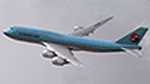
Korean Airlines Boeing 747-8B5/i (HL7630). REPAINT ONLY FOR FSX PMDG 747-400 expansion pack -8i/-8f
This livery is still fictional but I tried to collect as much data as I could from the -400 model as well as the concept/
previews of the -8i model. The real Korean 748i is still unpainted but is sitting in storage at Paine Field.
Features:
1. Korean Airlines Logo (New Livery with correct positions in referenced to the aircraft concepts).
2. Accurate placement of the SkyTeam Logo.
3. Korean text below the first class windows.
4. Studied and averaged precise sky blue color for fuselage.
5. Grey Stripe also averaged for closest match.
6. Grey Engine colors.
7. Korean Airlines Logo on the engines (accurate placement and removed engine warnings).
8. Studied design to create the "Closest" experience to the real thing.
9. White window door frames.
9. Boeing 747-8i decal above the last set of 8 windows (in Boeing font and accurate dark blue color).
10.Registration on the tail in accurate position, spacing, font, and color.
11.Korean Air logo flipped correctly (right side) and Flag included on top.
12.Added dirt textures to tail and aft belly.
13.Registration in accurate place on wing (color and font also studied and accurate).
14.Registration included on bottom of the wing as well.
| Filename: | Korean_Airlines_Boeing_7478i8B5i_HL7630.zip |
| License: | Freeware, limited distribution |
| Added: | 25th December 2014, 22:32:47 |
| Downloads: | 896 |
| Author: | Rohan Patel |
| Size: | 11.21 MB |
| Category: Flight Simulator X - Aircraft Repaints, Textures and Modifications | |
| Southwest Airlines Boeing 737-700 v2.2 Final Package |
|
File Description:
**** THIS FILE SUPERCEEDS MY ORIGINAL FILE b737_700_southwest_v21.zip **** v2.2 - REPORTED BUGS HAVE BEEN CORRECTED. The 737 was born out of Boeing's need to field a competitor in the short-range, small capacity jetliner market which had been opened up by the BAC 1-11 and the Douglas DC-9. Boeing was badly behind however when the 737 program was initiated in 1964, as both of these rivals were already into their flight certification programmes. The 737 was cheaper and quicker to design, featuring six-abreast seating compared to the 1-11 and DC-9's five-abreast layout.By the 1990s, the 737 had lost ground technologically to the newer Airbus A320. In 1993, Boeing initiated the 737-X or Next Generation (NG) program. The Next-Generation 737 encompasses the -600, -700, -800 and -900, and amounted to a complete redesign of the 30-year old airliner. The 737NG is an entirely new aircraft, sharing very little with previous 737s, other than fuselage frames. New wings, new avionics and revised engines were the biggest engineering changes. The 737 was given a glass cockpit with CRT screens (except the -900, which had newer and higher tech LCD screens) and digital systems inspired by the ones that were used on the 777. The parts count is down by about 33%, reducing weight and simplifying maintenance. Additional changes since its introduction include a new interior and performance enhancing winglets which reduce fuel consumption and improve take-off and climb performance. All textures have been modified in DXT-3 format for crisp visuals without comprimising frame rates. Includes the default FS-X Boeing 737 panel. Sounds have been defaulted to the FS-X 737-800, however I recommend the excellent 737 CFM56 "the real deal" version 2 soundpack (file name:737_cfm56__the_real_deal_version_2.zip located at AVSIM.com) for this aircraft series. Additionally, this aircraft series has no Virtual Cockpit (VC), therefore you must fly them using the 2-D default panel view only! This package includes Southwest Airlines liveries (Canyon Blue, Maryland One, Nevada One, Old Color & Shamu).
| Filename: | Southwest_Airlines_Boeing_737700__v22_Final_Packag.zip |
| License: | Freeware |
| Added: | 9th December 2006, 20:24:49 |
| Downloads: | 11,832 |
| Author: | Brian C. Selb |
| Size: | 13.59 MB |
| Category: Flight Simulator X - Miscellaneous Files | |
| Boeing 737NGX Checklist |
|
Images related to this file:
File Description:
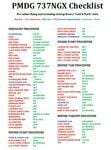
There are already some great checklists for the PMDG NGX done by others but what I've found with these checklists is that I find them to include many steps that I normally don't perform on every single flight, things like testing all fire bells and whistles etc.
So for this reason I decided to first setup the cockpit in a cold & dark state which corresponds to how the flightdeck should look like for every single switch in the cockpit according to the Boeing doc that came with the NGX after running both the shutdown and secure flows and then from this state make a checklist including all the phases of the flight from preflight at the origin to securing the a/c at the destination.
Since I'm doing all my flying online I have also included items such as filing your flightplan, asking ATC for push and engine startup clearence etc. Not fully realistic to include those kind of items in a checklist but the main purpose of this checklist will be to serve as a memory note how to perform a correct flight online in the NGX. Being used to the company of a FS2Crew FO this checklist will be there to help not forgetting about any steps during all the phases of the flight.
If you just like me have been looking for a simple checklist that will help you remember all the normal steps performed on a normal flight I hope you'll enjoy this checklist!
| Filename: | Boeing_737NGX_Checklist.zip |
| License: | Freeware |
| Added: | 18th September 2011, 17:40:11 |
| Downloads: | 8,493 |
| Author: | Richard Asberg |
| Size: | 37.91 KB |
| Category: Flight Simulator X - Flight Plans | |
| Chas mod of Stearmandriver RNP RNAV Approach into PAJN Rwy 26 for 737NGX |
|
Images related to this file:
File Description:
Modded StearmanDriver(SD) RNP RNAV Rwy 26 into PAJN, Juneau, Alaska. SD gave us a cool little route that while not LATLONG nor Fixname accurate, it couldn't be without legal and occupational liabilities...and it worked, but if you look at his FixNames and the LATLONG from the PAJN.txt file for the 737 NGX...it did work pretty nicely...at least as nicely as the charted RNAV course into Rwy 8. So I created my own procedure LATLONG rightly or wrongly in a multi-step procedure as follows:
1. I took the raw info provided by SD and flew to each of his waypoints,(if you look, almost all of his FIXs were rounded off...to avoid company or legal problems) noting safe altitude, starting out at 7000ft, creating user waypoints in my GTN750, looking around for first, vertical, then horizontal safety...keeping in mind that Ultimately...I would not be using this data for my Duke, but for the Procedure page of my PMDG 737 NGX..which you already saw me fly with SD's fixes.
2. I took my Turbine Duke up and noted the REAL LATLONG as reported by slewing and world map...transposed those numbers into the format that PMDG's procedures needed DDD.mm fractional minutes. I converted using http://www.directionsmag.com/site/latlong-converter/
3.I created my own mid-point user waypoints from the west CHRTRN,and the NNE CHRTS so we could have approaches from those directions.
4. I put my Duke into autopilot, knowing the lateral info...my flightplan was correct, but I would have to handle the Vnav manually. Turns out its rather manageable with the following info: CHRTRN 5000FT - MARMN 3500FT - TRDWL 2500FT - SALMN 1500 - LEMNN 500 - PAJN5 50
My MOD OF SDs RNP RNAV PAJNRwy 26, will be up on Avsim as ChasModRNP RNAV PAJN Rwy 26.zip
Contact:[email protected] - Support: http://forum.avsim.net/topic/466094-any-interest-in-updated-se-alaska-rnav-rnp-approach-procedures-including-juneau/
| Filename: | Chas_mod_of_Stearmandriver_RNP_RNAV_Approach_into_.zip |
| License: | Freeware |
| Added: | 8th May 2015, 11:35:16 |
| Downloads: | 340 |
| Author: | Chas Reed |
| Size: | 144.78 KB |
| Category: Flight Simulator X - Aircraft Repaints, Textures and Modifications | |
| air algerie livery of wilco a340-300 |
|
File Description:
air algerie leased an a340-300 from hifly
The Airbus A340 is a long-range, wide-body passenger airliner that was developed and produced by Airbus. In the mid-1970s, Airbus conceived several derivatives of the A300, its first airliner, and developed the A340 quadjet in parallel with the A330 twinjet. In June 1987, Airbus launched both designs with their first orders and the A340-300 took its maiden flight on 25 October 1991. It was certified along with the A340-200 on 22 December 1992 and both versions entered service in March 1993 with launch customers Lufthansa and Air France. The larger A340-500/600 were launched on 8 December 1997; the A340-600 flew for the first time on 23 April 2001 and entered service on 1 August 2002.
Keeping the eight-abreast economy cross-section of the A300, the early A340-200/300 has a similar airframe to the A330. Differences include four 151 kN (34,000 lbf) CFM56s instead of two high-thrust turbofans to bypass ETOPS restrictions on trans-oceanic routes, and a three-leg main landing gear instead of two for a heavier 276 t (608,000 lb) MTOW. Both airliners have fly-by-wire controls, which was first introduced on the A320, as well as a similar glass cockpit. The later A340-500/600 have a larger wing and are powered by 275 kN (62,000 lbf) Rolls-Royce Trent 500 for a heavier 380 t (840,000 lb) MTOW.
The shortest A340-200 measured 59.4 m (195 ft), and could cover 12,400 km / 6,700 nmi with 210–250 seats in 3-class. The most common A340-300 reached 63.7 m (209 ft) to accommodate 250–290 passengers and had a 13,500 km / 7,300 nmi range. The A340-500 was 67.9 m (223 ft) long to seat 270–310 over 16,670 km / 9,000 nmi, the longest-range airliner at the time. The longest A340-600 was stretched to 75.4 m (247 ft), then the longest airliner, to accommodate 320–370 passengers over 14,450 km / 7,800 nmi.
As improving engine reliability allowed ETOPS operations for almost all routes, more economical twinjets have replaced quadjets on many routes. On 10 November 2011, Airbus announced that the production reached its end, after 380 orders had been placed and 377 delivered from Toulouse, France. By the end of 2021, the global A340 fleet had completed more than 2.5 million flights over 20 million block hours and carried over 600 million passengers with no fatalities. The A350 is its successor; the McDonnell Douglas MD-11 and the Boeing 777 were its main competitors. Lufthansa is the largest operator and the largest customer with 34 A340 aircraft in its fleet.
| Filename: | air_algerie_livery_of_wilco_a340300.zip |
| License: | Freeware |
| Added: | 29th May 2022, 17:02:17 |
| Downloads: | 167 |
| Author: | moussa cherif baya |
| Size: | 10.55 MB |


© 2001-2026 AVSIM Online
All Rights Reserved
Privacy Policy |