
Where Flight Simulation Enthusiasts Gather from Around the World!
AVSIM Library - Search Results

| Category: Flight Simulator X - Aircraft Repaints, Textures and Modifications | |
| FSX/P3Dv3 Alisarda F-27-200 1973 |

|
Images related to this file:
File Description:
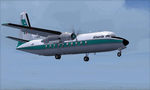
This is a repaint of the F-27-200 in Alisarda colors. The freeware FSX Native with VC F-27-200 by Bjorn Kesten is needed for this repaint. It was converted from Mike Stone's and Tom Gibson's models. The textures are 32bit DDS. It was tested on FSX-SE, but should work on FSX & P3Dv3.
Alisarda was an Italian airline based at Olbia, in Sardinia. It was established on March 28, 1963 as an air taxi company registered under the official name Linee Aerea della Sardegna SpA. Their first aircaft were two Beech 18s and Alisarda only provided a charter service. However, one year later,in 1964, they opened their fist scheduled service from Olbia to Rome. 1965 proved to be a pivotal year for the carrier. A reorganization was carried out whereby an agreement was concluded with Algenova for technical and commercial support. New investors were found, and in February 1965 two new Nord 262s were ordered from Nord Aviation. Due to this greater transport capacity, the transport figures increased strongly and in 1966 a total of 5,640 passengers were transported. The passenger loads increased dramatically in 1968 and 1969, so, Alisarda purchased three F-27 Friendships to take up the extra loads. The airline entered the 1970s with strength, and in January 1974 they received their first pure jets with the purchase of two DC-9-14s from Delta Airlines, I-SARJ and the I-SARV. 1977 saw them purchase two DC-9-32s, followed by three DC-9-50s in 1983, which replaced the aging DC-9-14s. In 1984 they received two new Maddog 82s. Their route network by 1989 consisted of domestic flights to many cities in Italy, plus international routes to Zurich, Geneva, Munich, Frankfurt, Paris, and Nice. In 1991 Alisarda merged with the Spanish carrier Universair, as the shareholders wanted to become a bigger players on the European market. The new carrier was named Meridiana. Thus, the name Alisarda ceased to exist.
| Filename: | FSXP3Dv3_Alisarda_F27200_1973.zip |
| License: | Freeware |
| Added: | 21st January 2020, 17:49:09 |
| Downloads: | 81 |
| Author: | Ted Giana |
| Size: | 4.79 MB |
| Category: Flight Simulator X - Aircraft Repaints, Textures and Modifications | |
| FS2004/FSX/P3D Project Airbus Himalaya Airlines 9N-ALV Airbus A320-214(WL) |
|
Images related to this file:
File Description:

(TEXTURES ONLY)
(ONLY TESTED IN FSX: STEAM EDITION)
This was requested by Ney Costa on the Official Project Airbus Facebook Group.
This was my attempt on making my own lightmaps for the logo lights, and honestly, it came out better than I expected! I used Kevin Chung's photos of 9N-ALV from Flickr to copy it.
I also changed the wing inspection lights from the Incandescent Halogen Lightbulbs to the Light Emitting Diode, or LED Lightbulbs to match the aircraft.
A320s from the 2010s and 2020s usually arrive with these updated lights. Not just the NEO, LR and XLR planes but also the normal CEO planes as well.
My first attempt on doing the LED Wing Inspection Lightbulbs were bad as I usually just copy and paste them from A321 photos from Flickr, I needed them for my Royal Air Philippines NNJT A321PCF Livery Pack, which I will try to soon complete as it will include RP-C9867, RP-C9866, and RP-C9869.
So, my second attempt on finding photos was with this livery, and it just looks much better than the 2nd attempt. I even included both the Incandescent Lights and LED Lights in the Decal just in case someone wants to use it. It is from Kevin Chung's photos, which I greatly appreciated!!!
Another thing is that this is my 2nd attempt on doing the livery, as my first was actually done all the way back in late 2023 / early 2024. But unfortunately, while it was completed, it was from my old laptop, which is now broken. A lot of those other liveries that I made but never released were there as well. I could try re-creating them though, like the Sun Country A320 Fictional Livery I made months ago when I also originally did it back in 2024.
| Filename: | FS2004FSXP3D_Project_Airbus_Himalaya_Airlines_9NAL.zip |
| License: | Freeware |
| Added: | 12th July 2026, 14:17:33 |
| Downloads: | 65 |
| Author: | Ryubunao |
| Size: | 48.17 MB |
| Category: Flight Simulator X - Scenery | |
| "Your Own Sea Port"..Part II of "Your Own" |
|
File Description:
This scenery is Part II of "Your Own" Series. The first one is "Your own AirPort"....
slowly but surely a community is being born!!!!!!...what do you get with YOSP??
--
"YO Airport" has contracted the " Marching Band and Construction Ltd" to construct the " YO-Seaport" near the rich Oil Fields of the coast. MBC Ltd, has thus proceeded full blast on this major important Sea Port which will give traffic to YO Airport and sorroundings.....Now planes will fly on rigid schedules between these two airfields......
later YO-Hill Airfields(Part III) will come along in the mountains in small lakes and Sea Stops...or small seaplane destinations....for more Fun and activities!!!!
What does "Your Own Sea Port" has for you.....?and what can you do there??
1) Two Airfields, one grass for small private planes and one Concrete for Commercial traffic ( new technique so it won´t be "sunk" with whatever mesh you have!!!) ...........+ Floatplane Base!!!
2) Helicopter Pad at the Port Hospital...(lighted)
3) Rescue Sailors at burning ship!!!!---(ship sinking fast!!)...take them to the Port´s Hospital.
4) Check moving traffic with any chopper.( There is a red corvette which must be checked with some women driving too fast!!!)
5) Participate in:
Road Race ( Need a car!!)...Prices galore!!!
Boat Race around Red Bull Pylons (need a Boat!!)...RedBull guys left them here for good!!!
Fly a Race at the same Pylons...(Really Hard!!!!)
6) Fly Tourists to Fishing Lake where Bass Abounds..(Need Floatplane).
8) Fly with your Navy Patrol plane and check on some "Strange Submarine
taking pictures of the port"...if necessary blow it to smitherins!!!!!!!
9) Open a New Airline....YO Air Service Inc...
10) Fly around and take pictures.
11) Take executives to the Oil Facilities in the Interior (EpisodeIII)...
or just fly around with your gal, wife or hummmm, hummmm.............or go fly under its three bridges!!!!!
12) Take passenger from the "Float Plane" Airpark, near the hospital, to lakes and rivers. The Mayor of YOSP will be giving the "city Keys" to all Pilots
who makes four consecutive loops in a helicopter on Sunday at 11:42:45.
| Filename: | Your_Own_Sea_PortPart_II_of_Your_Own.zip |
| License: | Freeware, limited distribution |
| Added: | 28th November 2008, 15:48:14 |
| Downloads: | 1,513 |
| Author: | Gera Godoy Canova |
| Size: | 900.13 KB |
| Category: Flight Simulator X - AFCAD Files | |
| Atlantic City International Airport (KACY), NJ |
|
File Description:
Located 09 miles NW of Atlantic City, New Jersey on 5000 acres of land, Atlantic City International Airport is a major airport serving the southern portion of New Jersey. It is also one of the main gateways for tourists looking to vacation in nearby Atlantic City, famous for its boardwalks and casinos. This airport has been very heavily modeled with many surrounding buildings and all aprons properly placed. Gates are all properly located and labeled according to the terminal chart (there are, however, no jetways like in the default scenery). General Aviation parking is available in its proper area � all aircraft in the parking area (middle of the tarmac) have collision disabled. If you select Military Cargo parking you will start on one of the helipads in the Coast Guard section. If you select Military Combat parking you will start next to the line of F-16s on ready-alert over on the Air National Guard tarmac. You can also start on a helipad north of the airport. This airport also features completely custom taxiway line and edge lighting. Because this airport uses ATC, it suffers the same bug as my KEWR airport, which is that you cannot receive taxi in directions from ATC � to gate, parking or fuel. Almost all arriving AI aircraft will also disappear from the taxiway after radioing in to ATC and failing to receive taxi instructions to the gate/parking. All traffic and instructions taxiing out works fine. All gate parking spaces have fuel, as well as the military parking and north helipad. GA aircraft can get fuel by taxiing over to the fuel station north of the GA tarmac. Taxiing onto a closed runway (marked with an �X�) will cause a crash. Broken-down taxiways are not good for your undercarriage!
Scenery constructed with use of satellite images/streetview/aerial photos - the author has not been there in person.
This scenery is meant to be used in conjunction with MegaScenery Earth New Jersey/Delaware 003. It is not required, but apron use is minimized to allow satellite scenery to show through as much as possible, and objects are placed based on the MSE textures - lack of it may make scenery look out of place.
| Filename: | Atlantic_City_International_Airport_KACY_NJ.zip |
| License: | Freeware |
| Added: | 1st February 2011, 10:28:53 |
| Downloads: | 1,355 |
| Author: | Drew Sikora |
| Size: | 5.12 MB |
| Category: Flight Simulator X - AFCAD Files | |
| Parker Airport (70NJ), NJ |
|
File Description:
Located 02 miles S of Asbury, New Jersey on 13 acres of land, Parker Airport is a private turf strip located on residential property. This airport is challenging in many ways. For one, when approaching from the southeast the airport is located immediately after a tall ridge, so when topping this ridge at altitude you may not even see the airport over the nose of your aircraft before you overfly it. The runway for this airport is 1600' feet long but it is curved and slightly sloped perpendicular to your roll, so significant rudder will be needed to stay aligned - be careful when operating with any crosswind component! It is highly recommended that you only depart via Runway 25 and arrive via Runway 07 to avoid having to clear significant obstacles prior to landing or after taking off. This airport has no hard-surfaced runway and there is a very noticeable "bump" in the terrain halfway down the runway that will literally bounce your aircraft into the air - I tried my best to smooth it over but could not get rid of it entirely. When taking off make sure you have back pressure applied so your main gear only bounce you high enough to remain within ground effect - hitting your nose wheel can cause an extreme pitch up leading to a stall. Trees close in tight to the runway at the end of Runway 07 or the start of Runway 25, however collision has been disabled with the trees nearest the runway so you can scrape some branches if needed on the takeoff/landing rolls. The author has successfully departed and arrived on both runways in the default Cessna 172 under moderate crosswind from the northeast. This field may definitely require some practice but it is usable!! This airport has no edge lighting, so daytime VFR operations only are recommended.
Scenery constructed with use of satellite images/streetview/aerial photos - the author has not been there in person.
This scenery is meant to be used in conjunction with MegaScenery Earth New York 007. It is not required, but apron use is minimized to allow satellite scenery to show through as much as possible, and objects are placed based on the MSE textures - lack of it may make scenery look out of place.
| Filename: | Parker_Airport_70NJ_NJ.zip |
| License: | Freeware |
| Added: | 10th February 2011, 05:04:30 |
| Downloads: | 215 |
| Author: | Drew Sikora |
| Size: | 559.02 KB |
| Category: Flight Simulator X - Aircraft Repaints, Textures and Modifications | |
| Boeing B-17G 91st BG (LG-O) "Roxy's Special" |
|
Images related to this file:
File Description:
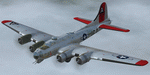
This folder contains a repaint for the A2A WoP2 B-17G in the colors of B-17G-85-BO #43-38348 LG-O "Roxy's Special" of the 322 BS/ 91st BG based in Bassingbourne UK. #348 arrived in Bassingbourne on 18 August 1944, and very quickly received her nose art, by Corporal Tony Starcer. By 5 September, it had flown four missions to Germany. The next mission, on the 8th of September, was to the I.G. Farben Chemical Plant in Ludwigshafen, Germany. On board this mission was David McCarty, pilot, Neil M. Mylin, co-pilot, Donald L. Brazones, navigator, Frank S. Bolen, bombardier, John Cangemi, top turret, Frank F. Trim, Jr., ball turret, Charles E. Beebe, waist guns, Floyd Z. Dillon, tail gun, and Henry R. Schuls, radio operator. Around 11.35 hours, short of the bomb drop near Ludwigshafen, “Roxy’s Special†took a hit ripping off a wing. A spin ensued pinning Bolen and navigator Don Brazones in their nose bubble followed almost immediately by an explosion blowing them free of the aircraft. Bolen and Brazones were the only two survivors of “Roxy’s Special.†They both parachuted down, but not together, therefore neither knew the fate of the other until later. Bolen eluded capture for 7 days before being picked up and carted off to Stalag Luft 1 near Barth, Germany after interrogations. Brazones had been picked up before Bolen and processed through the channels to Stalag Luft 1. The two were reunited at Stalag Luft 1 where they spent the remainder of the war. On Sept. 14, 1944, the day Bolen was captured, his wife Frances gave birth to their first child, Linda, in Selma - a child Bolen would not see until returning from imprisonment and the war. The “Roxy’s Special†crash site was near a Lutheran Church in Ludwigshafen. A very respectful group of Germans removed the remains of the air crew and buried them in the local cemetery. After the war, the remains were turned over to American authorities and they moved them to a National Cemetery in Northern France. In 1947, Bolen served as casket bearer for David McCarty when he was brought home to rest in Birmingham.
Repaint by Jan Kees Blom, based on the paintkit by A2A.
| Filename: | Boeing_B17G_91st_BG_LGO_Roxys_Special.zip |
| License: | Freeware |
| Added: | 7th October 2019, 18:21:26 |
| Downloads: | 109 |
| Author: | Jan Kees Blom |
| Size: | 18.33 MB |
| Category: Flight Simulator X - Aircraft Repaints, Textures and Modifications | |
| Virgin Galactic Boeing 747-8i |
|
Images related to this file:
File Description:
FSX Boeing 747-8i Virgin Galactic with advanced VC by Alejandro Rojas Lucena and VC Textures Upgrade by Enrique Cornejo, founder of the Flightsim Workshop Project. This gives the b747 a payware Virtual Cockpit look and now with green leather tapestry on the sides of the seats. It even has a pilot jacket hanged in the rear of the cockpit (besides the right jumpseat). The panel.cfg and the aircraft.cfg have been assembled and edited by the Flightsim Workshop Team. Now you can pop up "My icons" window in the Virtual Cockpit to easily reach the following windows: GPS, avionics, map, ATC, Climb/Radio Altimeter/Spoiler switch, auto-break switch, throttle quadrant, clock, descent meter, kneeboard and overhead panel. A new feature in My Icons Window I added is a new Pitot Heat switch with ON and Off features, (XML gauge by Enrique Cornejo). cold weather, the Pitot Heat switch works just like in real life, so if its turned off the air speed indicator will stop working, so make sure you turn the Pitot Heat switch on before taking off!
The autopilot ON switches have green lights which make them look more realistic. Center ATC identification in this aircraft is "Boeing 747". We have also fixed the position of the strobe lights so when the aircraft is flying they are in the right place, so turn on the strobe lights switch after take off. The cockpit view from the pilots seat is now more comfortable because the distance between the cockpit and the seat is longer.
The aircraft has new engine views (from both wings) and new Virtual Cockpit interior views from the left, right and central jump seats. The brakes has a differential brake system to make smoother turns in ground. The Virgin Galactic Spaceship texture is wonderful and it has a unique paint scheme by Enrique Cornejo which also includes details such as some stains caused by humidity in the fuselage and the wing flaps and other details just like a real aircraft. Real smoke in the four engines, just select key, more cabin views, realistic cockpit and engines sound & more realistic night VC lights and fuselage night textures, in the VC just select key and reset the overhead Instrument panel light dim switch in the overhead panel. The aileron parameters have also improved, so now the right and left turns are smoother. This aircraft uses the Project Opensky FSX Boeing B747-800 Model OSX748V4_GENX(MDL), and includes the gauge window Posky Utility to view the main stairs, ground cargo servicing, etc. The engine sounds are edited like the real ones with cockpit ambient, so you can enjoy a pleasant flight. The Flight Management Computer (FMC) is fixed and looks like a payware instrument. The VC includes FMC, Primary Flight Display (PFD) and Multi-Function Display (MDF) displayed in the correct size. The virtual cockpit also has an Engine-Indicating and Crew-Alerting System also known as EICAS, Ground Proximity Warning System (GPWS), working wipers, cabin lights, fire suppression, avionics switch, fuel cross feed, and you can identify those instruments in the overhead panel because they are bordered with color lines. You can also find landing lights switches, taxi light switch, engine generators, APU generator, battery switch, starter switches, de-ice switch, general lights switches which are a great work of Alejandro. So now the whole cockpit and texture upgrade with all these improvements looks better than a payware version. The clock numbers are now in orange which makes them look better and easily recognizable. Assembled and edited for FSX by Flightsim Workshop Founder Enrique Cornejo. 78 MB
| Filename: | Virgin_Galactic_Boeing_7478i.zip |
| License: | Freeware |
| Added: | 21st February 2013, 18:56:28 |
| Downloads: | 1,940 |
| Author: | Enrique Cornejo |
| Size: | 77.73 MB |


© 2001-2026 AVSIM Online
All Rights Reserved
Privacy Policy |