
Where Flight Simulation Enthusiasts Gather from Around the World!
AVSIM Library - Search Results

| Category: Flight Simulator X - AFCAD Files | |
| Peters Airport (4NJ8), NJ v1.1 |

|
File Description:
Located 05 miles W of Somerville, New Jersey on 70 acres of land, Peters Airport is a private turf strip that will test your short field skills to the max. The published runway dimensions for this strip are 1700x200 feet, and for the most case this is fairly accurate - however at the ends of both runways you have tree obstacles to overcome so this can shorten the amount of usable runway significantly, although the tree obstacles are no higher than 12-14m. There is no hardened runway surface so you will be landing/taking off on terrain. Depending on how high your mesh resolution is, this can be a significant factor, as Runway 31 is mainly uphill enough that you will need to power up with parking brakes on if you want to make it in the air. Runway 13 is the best since you are going downhill and the trees at the end are fewer and smaller. Pay close attention to the pattern! Runway 13 is Left and Runway 31 is Right - this airport is within 2 miles of Solberg-Hunterdon (N51) and you don't want to get in the way of that field's traffic! The runway is not lit, so daytime VFR operations only. There are no services at this strip for transient aircraft.
Scenery constructed with use of satellite images/streetview/aerial photos - the author has not been there in person.
This scenery is meant to be used in conjunction with MegaScenery Earth New Jersey/Delaware 001. It is not required, but apron use is minimized to allow satellite scenery to show through as much as possible, and objects are placed based on the MSE textures - lack of it may make scenery look out of place.
| Filename: | Peters_Airport_4NJ8_NJ_v11.zip |
| License: | Freeware |
| Added: | 20th September 2011, 14:08:43 |
| Downloads: | 405 |
| Author: | Drew Sikora |
| Size: | 461.03 KB |
| Category: Flight Simulator X - Aircraft Repaints, Textures and Modifications | |
| Iris F-16D Viper Aerodynamic Performance Modification and Repaint Texture Package |
|
Images related to this file:
File Description:
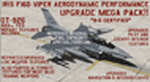
This performance modification and repaint texture package is for the IRIS "Pro Series" F-16D Viper. The performance modifications will upgrade ALL FOURTEEN (14) of your Iris F-16D/CFT models and make them fly like real F-16's! Think of this as an AWESOME tune-up job for your IRIS F-16D's...you'll be amazed at how GREAT your jets fly after this! Go from the runway to 40,000 feet in 90 seconds at Mach 1+, then reach a max Mach of 2.05. Go from 200-600 kts in under 30 sec. Pull 9g (sustained) turns in the CAT-1 jets and 7g turns in the CAT-3 jets. Perform precise aerobatic maneuvers and enjoy smooth "fly by wire"-like control! I also increased the internal fuel capacity to now hold 1,044 gallons (7,000lbs) like the real jet, and adjusted the weight and balance figures for the fuel and weapon loads. But I didn't stop there...I ALSO made a bunch of "visual" upgrades for the Iris F-16D/CFT jets as well! I repainted some of the "COMMON" texture files so now the buttons on the ICP pad look more used/worn, the Annunciator/Warning lights are now easier to read (ie, "MASTER CAUTION"), upgraded the ACESII ejection seat, reduced the amount of "pilot reflection" on the interior canopy glass in the "Virtual Cockpit" for a MUCH clearer view, painted pilot textures for either Desert Tan or OD Green flight suits (you choose!), PLUS repainted/upgraded the "LIVE" weapon textures and ALSO painted textures for "INERT" blue weapons (you choose!). The installation for both the "Aerodynamic Performance Modification" and the cockpit, pilot & weapon texture upgrades are quick and easy, and you'll find the installation instructions in those folders.
| Filename: | Iris_F16D_Viper_Aerodynamic_Performance_Modificati.zip |
| License: | Freeware |
| Added: | 8th February 2024, 04:01:21 |
| Downloads: | 139 |
| Author: | Daniel Gregory |
| Size: | 9.46 MB |
| Category: Flight Simulator X - Utilities | |
| Graphic Realism and FSX Optimization |
|
File Description:
The add-ons configuration step by step
Not configured FSX is a pain in the neck for many people. A small number of fps and frequent CTD (crash to desktop) can be extremely annoying or even depressing to some users. A lot of you probably came to a conclusion that it was going to be a losing battle and you gave up after a few fruitless days or you spent money on the FSPS-XTREME FSX PC V2 program, which can automatically do practically everything for us. But what's the point of spending money on something that we can do by ourselves with the help of this handbook?
I myself was dealing with the FSX platform three times before I gave up FS9. Microsoft gave out the engine to us, but in order to make sense, our passion involves radical tuning of the device. On the ground of one's own experience and thousands of hours devoted by people to diving into the core of the platform, I'll present a way of installation, add-ons selection and their configuration starting from the installation of the system. Having done the procedures described below, FSX will look beautiful and it'll work smoothly even with challenging sceneries. The entirety is based on quite a popular hardware configuration, which will let us use 85% of the graphic potential of Microsoft Flight Simulator X. We want t to achieve the goal of minimum 25 fps in VC B738 PMDG NGX, with challenging sceneries, flying in the window mode. For the mode the full screen efficiency should reach 33 fps.
In this handbook, I'm neither going to describe each and every change made in cfg nor explain what the alterations are to conduce. You will be given a simple and ready recipe which I use myself. I can't guarantee a 100% satisfaction for the poorer equipment computers. I can assure you, however, that FSX will definitely work so much better and playing with FSX sliders or with the size of textures in REX you will be able to obtain the desired effect.
| Filename: | Graphic_Realism_and_FSX_Optimization.zip |
| License: | Freeware, limited distribution |
| Added: | 15th November 2013, 20:33:26 |
| Downloads: | 5,749 |
| Author: | Grzegorz Trzoch |
| Size: | 3.96 MB |
| Category: Flight Simulator X - Miscellaneous Files | |
| 737NG Normal Procedures Non-APU version |
|
Images related to this file:
File Description:
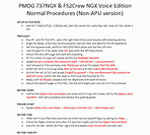
After some input and ideas from a fellow FS2Crew pilot here is a non-APU version of my flow and checklist to even closer mimic real world OPs the way many big airlines operate in real life every day at big airports around the world where the use of APU is limited to only a short period of time a couple of minutes before engine start. I also (don't I always ;-)) did some other changes and what I think improvements since my last version so give it a try and see what you think! About fitting the list on 2 A4 pages when printing it from WordPad please set all your margins to 25 mm in WordPad and uncheck the option to print the page numbers. This time I will not ask the AVSIM Library Managers to replace my old version with this one since some of you might still want the version where the APU is used depending on what kind of flights you do and to what kind of airports. Instead this will be uploaded as a new and separate version.
A flow/checklist for flying PMDG's 737NGX with FS2Crew Voice Edition. Did this mainly for my own use meaning the flow/checklist is adjusted for how I do my flying and with the addons I use like Aerosoft AES for example. Please also be aware this is not the kind of flow/checklist that includes all things you need to perform during a normal flight but instead you are expected to already have a general knowledge of both the NGX and FS2Crew. However I thought others might be helped by this too both newbies to get you going with the "flow" using FS2Crew but also for the more experienced users as a simple to print out and use memory note. It's also easy for you to change whatever you like to suit your own needs better since I created it in common rtf format using the standard Wordpad Windows application. I deliberately made it as compressed as possible leaving out stuff like all the answers to the checklists etc so it would fit on a single A4 sheet being easy to print and maybe also laminate if you like. Hope you'll enjoy it!
| Filename: | 737NG_Normal_Procedures_NonAPU_version.zip |
| License: | Freeware |
| Added: | 22nd June 2012, 03:34:37 |
| Downloads: | 1,085 |
| Author: | Richard Asberg (with input from Peter Wolf) |
| Size: | 6.36 KB |


© 2001-2026 AVSIM Online
All Rights Reserved
Privacy Policy |