
Where Flight Simulation Enthusiasts Gather from Around the World!
AVSIM Library - Search Results

| Category: Flight Simulator X - Original Aircraft | |
| RWD-8pws + Expansion Pack |

|
Images related to this file:
File Description:
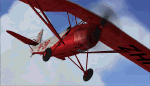
This is a re-upload of the RWD-8 pws previously availble on Avsim. This time I decided to merge it with the "Expansion Pack" which added two new visual models and fixed several bugs.
The RWD-8 was a Polish basic training plane, just like a Piper Cub or Tiger Moth. About 500 were built during the 30's. Sadly, no plane survived the WW2, but there is a replica which is currently built for the Polish Aviation Museum in Krakow. She will be powered by the original Walter Junior engine.
The model was compiled using FSX SDK and contains goodies like normal and specular maps. The pack includes simple paintkit and a manual in .pdf and .doc formats. Have fun!
| Filename: | RWD8pws__Expansion_Pack.zip |
| License: | Freeware, limited distribution |
| Added: | 17th January 2011, 11:37:14 |
| Downloads: | 2,163 |
| Author: | Piotr Mika, Lukasz Kubacki, Michal Puto, Robert Rogalski |
| Size: | 72.05 MB |
| Category: Flight Simulator X - Flight Plans | |
| Flight Plan for OB-9 Bayshore Michigan |
|
Images related to this file:
File Description:
FSX Flight Plan for OB-9 Bayshore Michigan IFR high speed low altitude military training route. This is the ninth in a series of flight plans I have uploaded. This route goes through flat and rolling terrain and over water in Ontario and Michigan. These are great routes for B-52, F-111, B-1B, B-2 A6, A4, Vulcan and any fighter or bomber enthusiasts. Of course you can fly the route with any aircraft of your choice. Included in this package are two spectacular gauges by Karol Chlebowski for TFR flying and Pave Tack which includes many advanced features for bombing, navigation and reconnaissance. These two gauges will greatly enhance your ability to fly these challenging routes and are a great companion of the flight plans. Another option to download Version 2.1 of my mini panel which has all this functionality and more.
| Filename: | Flight_Plan_for_OB9_Bayshore_Michigan.zip |
| License: | Freeware, limited distribution |
| Added: | 10th July 2011, 09:51:28 |
| Downloads: | 201 |
| Author: | Bill McClellan |
| Size: | 942.34 KB |
| Category: Flight Simulator X - Flight Plans | |
| OB-11 Richmond Kentucky (New) |
|
Images related to this file:
File Description:
FSX Flight Plan for OB-11 Richmond Kentucky New IFR high speed low altitude military training route. This route goes through mountainous terrain in Tennessee, North Carolina, Virginia and Kentucky. This is the thirteenth in a series of flight plans I have uploaded. These are great routes for B-52, F-111, B-1B, B-2 A6, A4, Vulcan and any fighter or bomber enthusiasts. Of course you can fly the route with any aircraft of your choice. Included in this package are two spectacular gauges by Karol Chlebowski for TFR flying and Pave Tack which includes many advanced features for bombing, navigation and reconnaissance. These two gauges will greatly enhance your ability to fly these challenging routes and are a great companion of the flight plans. Another option to download Version 2.1 of my mini panel which has all this functionality and more.
| Filename: | OB11_Richmond_Kentucky_New.zip |
| License: | Freeware, limited distribution |
| Added: | 12th July 2011, 20:45:16 |
| Downloads: | 179 |
| Author: | Bill McClellan |
| Size: | 969.98 KB |
| Category: Flight Simulator X - Utilities | |
| FS Remote version 1.0 |
|
File Description:
Email: [email protected]
Name: Hans Elzer
Current version 1.0
Version 1.0 contains various little bug fixes plus Fuel management in the Engines dialog
FS-Remote a utility for remotely controlling FSX
The Zip file contains:
* Readme text file
* .NET 2.0 FS-Remote executable
* Configuration file for FS-Remote
* Document file in MSWord format
What you need to run FS-Remote:
* .NET 2.0 or 3.0 installed on the computer where you want to run FS-Remote
* FSUIPC4 (registered) on the computer where you run FSX
* WideClient (FSUIPC4 FSWide remote) if you want to run FS-Remote on a remote computer
It does what the title says FS-Remote controls FSX remotely through FSUIPC.
Just take a look at the (word) document that is contained in the zip file and look at some screen shots.
It can view and control the following items in FSX through FSUIPC:
* Aircraft - Control aircraft switches like Lights, Doors, Pushback, De-Ice and Jetway plus call fuel truck
* Auto Pilot - Control auto pilot switches plus reset altimeter and heading indicator instruments
* Radio - Control radio stack switches and push buttons plus view navigation status information
* Attitude - View attitude information and warnings plus convert and view various items in feet, meter, knots, mph and km/p
* Engines - Control engines auto start and stop plus fuel management
* Weather - not implemented jet (next version)
* Environment - View the local date, time and position environment information
* Date Time - Control and view the flight simulator date and time
* Message - View and send messages to flight simulator message bar
* FPS - View real-time flight simulator frames per second FPS rate
* About - View version information about FS-Remote, FSUIPC4 and FSX
Hope that you like it.
| Filename: | FS_Remote_version_10.zip |
| License: | Freeware |
| Added: | 9th September 2007, 15:26:14 |
| Downloads: | 1,439 |
| Author: | Hans Elzer |
| Size: | 353.2 KB |
| Category: Flight Simulator X - Utilities | |
| FSRemote 2.0 |
|
File Description:
Current version 2.0
Version 2.0 contains a new more graphical interface
Version 1.0 contains various little bug fixes plus Fuel management in the Engines dialog
FS-Remote a utility for remotely controlling FSX
The Zip file contains:
* Readme text file
* .NET 2.0 FS-Remote executable
* Configuration file for FS-Remote
* Document file in MSWord format
What you need to run FS-Remote:
* .NET 2.0 or 3.0 installed on the computer where you want to run FS-Remote
* FSUIPC4 (registered) on the computer where you run FSX
* WideClient (FSUIPC4 FSWide remote) if you want to run FS-Remote on a remote computer
It does what the title says FS-Remote controls FSX remotely through FSUIPC.
Just take a look at the (word) document that is contained in the zip file and look at some screen shots.
It can view and control the following items in FSX through FSUIPC:
* Aircraft - Control aircraft switches like Lights, Doors, Pushback, De-Ice and Jetway plus call fuel truck
* Auto Pilot - Control auto pilot switches plus reset altimeter and heading indicator instruments
* Radio - Control radio stack switches and push buttons plus view navigation status information
* Attitude - View attitude information and warnings plus convert and view various items in feet, meter, knots, mph and km/p
* Engines - Control engines auto start and stop plus fuel management
* Weather - not implemented jet (next version)
* Environment - View the local date, time and position environment information
* Date Time - Control and view the flight simulator date and time
* Message - View and send messages to flight simulator message bar
* FPS - View real-time flight simulator frames per second FPS rate
* About - View version information about FS-Remote, FSUIPC4 and FSX
Hope that you like it.
| Filename: | FSRemote_20.zip |
| License: | Freeware |
| Added: | 9th November 2007, 22:24:52 |
| Downloads: | 1,674 |
| Author: | Hans Elzer |
| Size: | 620.8 KB |
| Category: Flight Simulator X - Scenery | |
| YYWG Yarrawonga Airport Victoria Australia |
|
Images related to this file:
File Description:
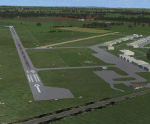
Airport YYWG Yarrawonga is a regional airport in Victoria Australia. IMPORTANT NOTE This is the third version of this scenery. The main difference is it includes all the textures for the libraries of objects used. The missing textures in the first/second version (and the first version of Echuca) caused problems with other sceneries using the same libraries/objects. There is large number of hangers a training school and some private residentual lots with direct access to the taxiways. These files are for Flight Simulator X. Made using Airport Design Editor using some objects borrowed from Robert Budd's excellent Baccus Marsh. The standard airport bears only a passing resemblance to the real thing so this scenery is a big improvement and accurately reproduces real world. RECOMMENDED The scenery is designed to interface with ORBX FTX_AU scenery for Australia (payware). It will work without ORBX but will interface as well with standard scenery.
| Filename: | YYWG_Yarrawonga_Airport_Victoria_Australia.zip |
| License: | Freeware |
| Added: | 1st October 2017, 18:02:20 |
| Downloads: | 556 |
| Author: | Colin Jeffery |
| Size: | 2.02 MB |
| Category: Flight Simulator X - Scenery | |
| YYWG Yarrawonga Airport Victoria Australia |
|
Images related to this file:
File Description:
Airport YYWG Yarrawonga is a regional airport in Victoria Australia. IMPORTANT NOTE This is the second version of this scenery. The main difference is it includes all the textures for the libraries of objects used. The missing textures in the first version (and the first version of Echuca) caused problems with other sceneries using the same libraries/objects. There is large number of hangers a training school and some private residentual lots with direct access to the taxiways. These files are for Flight Simulator X. Made using Airport Design Editor using some objects borrowed from Robert Budd's excellent Baccus Marsh. The standard airport bears only a passing resemblance to the real thing so this scenery is a big improvement and accurately reproduces real world. RECOMMENDED The scenery is designed to interface with ORBX FTX_AU scenery for Australia (payware). It will work without ORBX but will not interface as well with standard scenery.
| Filename: | YYWG_Yarrawonga_Airport_Victoria_Australia.zip |
| License: | Freeware |
| Added: | 9th April 2017, 07:35:17 |
| Downloads: | 263 |
| Author: | Colin Jeffery |
| Size: | 1.78 MB |
| Category: Flight Simulator X - Aircraft Repaints, Textures and Modifications | |
| George Bush N2S-1 Stearman (N50061) |
|
Images related to this file:
File Description:
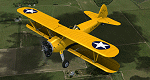
This is a repaint only, for the payware Vertigo Studios Stearman Vol.1 set. This repaint depicts the restored Stearman N2S-1, N50061, owned/operated by Paul Ehlen and based at the Wings of the North Museum at Flying Cloud Airport, Eden Prairie, Minnesota. The aircraft, originally manufactured as U.S. Navy BuNo. 3347, is one of five Stearmans known to still exist that were flown by President George H. W. Bush as a cadet in the Navy. He flew this aircraft while training in the cold Minnesota winter at Wold-Chamberlain Airfield, Naval Air Station Minneapolis (modern-day KMSP), in January and early February 1943. The aircraft was sent to AirCorps Aviation for ground-up restoration in 2014, and emerged in 2015 as one of, if not the most period-authentic restored Stearmans to-date, restored to just as it was in 1943 (no electric starter (only hand-crank start) and no radios of any sort). The aircraft won "Best Stearman" at Oshkosh 2015.
| Filename: | George_Bush_N2S1_Stearman_N50061.zip |
| License: | Freeware |
| Added: | 22nd January 2017, 04:10:24 |
| Downloads: | 213 |
| Author: | John Terrell |
| Size: | 25.25 MB |
| Category: Flight Simulator X - Aircraft Repaints, Textures and Modifications | |
| Lockheed Martin F-35A RNLAF 306 Sqn, 162d ANG FW |
|
Images related to this file:
File Description:
Lockheed Martin F-35A for FSX by Dino Cattaneo in (yet fictional) RNLAF livery. My eighth paint resembles a future F-35A in Tucson International Airport, Arizona based 306 Sqn colours. Currently the RNLAF 306 Sqn is based at Springfield, Ohio (KSGH) as a F-16AM/BM conversion training unit. Most likely the unit will move and continue their operations from Tucson International Airport (KTUS), Arizona as component to the 162d (ANG) fighter wing. The task of the unit will not change; mainly to introduce and train new fighter pilots with the fighter type in use with the RNLAF. Though the tasks and locations of the old 306 Sqn have changed, their Sqn logo and motto (Videre Vincere Est) have not. You need the excellent payware Lockheed Martin F-35A by Dino Cattaneo in order to use this repaint. Enjoy!
| Filename: | Lockheed_Martin_F35A_RNLAF_306_Sqn_162d_ANG_FW.zip |
| License: | Freeware |
| Added: | 17th August 2010, 00:45:14 |
| Downloads: | 204 |
| Author: | Rene Spaan |
| Size: | 20.59 MB |
| Category: Flight Simulator X - AFCAD Files | |
| Peters Airport (4NJ8), NJ v1.1 |
|
File Description:
Located 05 miles W of Somerville, New Jersey on 70 acres of land, Peters Airport is a private turf strip that will test your short field skills to the max. The published runway dimensions for this strip are 1700x200 feet, and for the most case this is fairly accurate - however at the ends of both runways you have tree obstacles to overcome so this can shorten the amount of usable runway significantly, although the tree obstacles are no higher than 12-14m. There is no hardened runway surface so you will be landing/taking off on terrain. Depending on how high your mesh resolution is, this can be a significant factor, as Runway 31 is mainly uphill enough that you will need to power up with parking brakes on if you want to make it in the air. Runway 13 is the best since you are going downhill and the trees at the end are fewer and smaller. Pay close attention to the pattern! Runway 13 is Left and Runway 31 is Right - this airport is within 2 miles of Solberg-Hunterdon (N51) and you don't want to get in the way of that field's traffic! The runway is not lit, so daytime VFR operations only. There are no services at this strip for transient aircraft.
Scenery constructed with use of satellite images/streetview/aerial photos - the author has not been there in person.
This scenery is meant to be used in conjunction with MegaScenery Earth New Jersey/Delaware 001. It is not required, but apron use is minimized to allow satellite scenery to show through as much as possible, and objects are placed based on the MSE textures - lack of it may make scenery look out of place.
| Filename: | Peters_Airport_4NJ8_NJ_v11.zip |
| License: | Freeware |
| Added: | 20th September 2011, 14:08:43 |
| Downloads: | 405 |
| Author: | Drew Sikora |
| Size: | 461.03 KB |


© 2001-2026 AVSIM Online
All Rights Reserved
Privacy Policy |