
Where Flight Simulation Enthusiasts Gather from Around the World!
AVSIM Library - Search Results

| Category: Flight Simulator 2004 - Utilities | |
| Delete Default AI Traffic v1.3 |

|
File Description:
v1.3 **
- Find the root folder of FS2004, so more control of your FS2004 location.
- Can restore / undo from a click of a button straight from the utility! **
Just run this program and press the button, and it will prevent the default fictional aircraft from flying as AI Traffic.
Requires .NET Framework
| Filename: | Delete_Default_AI_Traffic_v13.zip |
| License: | Freeware |
| Added: | 28th March 2008, 22:11:18 |
| Downloads: | 2,052 |
| Author: | StageSoft |
| Size: | 10.93 KB |
| Category: Flight Simulator 2004 - Utilities | |
| Trip Sheet |
|
File Description:
An Excel format sheet designed to be a cockpit aid to note needed flight information and be a record of the flight for use when filing VA flight reports.
It has data entry blocks for flight/aircraft information, route, weights, fuel load, ATC instructions, V-speeds, weather, times and logbook entry.
| Filename: | Trip_Sheet.zip |
| License: | Freeware, limited distribution |
| Added: | 20th November 2005, 22:15:57 |
| Downloads: | 2,258 |
| Author: | Roger Curtiss |
| Size: | 3.55 KB |
| Category: Flight Simulator 2004 - Utilities | |
| FlightSim Manager 2.4.0 |
|
File Description:
Compatible with both FS2002 and FS2004
Please ensure you are downloading the very latest version by doing a search on my name first.
FlightSim Manager is a great tool for managing add-ons to Microsoft Flight Simulator. Using easy to Wizard - FSM can install aircraft, panels, textures and scenery directly from distribution ZIP files you may have downloaded, with proper uninstallation of add-ons. From an easy to use Aircraft editor to add or remove aircraft variants, to an comprehensive Hangar management allows you to manage and configure your add-ons off your live FS installation.
Using FSM, you can create Texture Sets - i.e.. different Tree Sets, and you can install the texture with a single click, capture screenshots from Flight Simulator, and launch it with random Splash Screens, and fly from anywhere in the world using an map view.
You can also control Flight Simulator with speech commands using FSM. Other features include Benchmark Flight Simulator, Repository support and set of diagnostics tools.
Version 2.4 also enhaces the Pilot-mode, with auto-saving flight, warning sytem, and voice recognition.
Installation -
Please use the setup.exe file. If you wish to uninstall the software, you can do so from Control Panel - Uninstall software.
You can find the latest version from -
http://www.ranainside.com/
To request any new feature, or to submit bugs, please visit our forum at
http://softwares.ranainside.com/
| Filename: | FlightSim_Manager_240.zip |
| License: | Freeware |
| Added: | 4th August 2004, 20:55:28 |
| Downloads: | 2,978 |
| Author: | Rana Hossain |
| Size: | 3.77 MB |
| Category: Flight Simulator 2004 - Utilities | |
| FlightSim Manager 2.4.0 |
|
File Description:
FlightSim Manager 2.4.0
Compatible with both FS2002 and FS2004
FlightSim Manager is a great tool for managing add-ons to Microsoft Flight Simulator. Using easy to Wizard - FSM can install aircraft, panels, textures and scenery directly from distribution ZIP files you may have downloaded, with proper uninstallation of add-ons. From an easy to use Aircraft editor to add or remove aircraft variants, to an comprehensive Hangar management allows you to manage and configure your add-ons off your live FS installation.
Using FSM, you can create Texture Sets - i.e.. different Tree Sets, and you can install the texture with a single click, capture screenshots from Flight Simulator, and launch it with random Splash Screens, and fly from anywhere in the world using an map view.
You can also control Flight Simulator with speech commands using FSM. Other features include Benchmark Flight Simulator, Repository support and set of diagnostics tools.
Version 2.4 also enhaces the Pilot-mode, with auto-saving flight, warning sytem, and voice recognition.
Installation -
Please use the setup.exe file. If you wish to uninstall the software, you can do so from Control Panel - Uninstall software.
You can find the latest version from -
http://www.ranainside.com/
To request any new feature, or to submit bugs, please visit our forum at
http://softwares.ranainside.com/
Programmer
Rana Hossain
[email protected]
| Filename: | FlightSim_Manager_240.zip |
| License: | Freeware |
| Added: | 4th August 2004, 20:49:50 |
| Downloads: | 11,171 |
| Author: | Rana Hossain |
| Size: | 3.77 MB |
| Category: Flight Simulator 2004 - Utilities | |
| Added Libraries for SBuilder |
|
Images related to this file:
File Description:
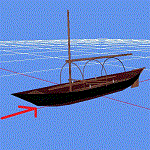
During development of VFR on Lario project has manifested the need for adding generic objects, easily accessible and using FS9 standard textures, to cover the areas where the function Autogen is not active. For this reason I created libraries, for buildings and an additional generic one,
that do not require addition of any new textures. These new libraries are of course free
and can be used at your own liking. In this revision please find a quick instruction for the direct download when some adding arises. Enjoy
| Filename: | Added_Libraries_for_SBuilder.zip |
| License: | Freeware |
| Added: | 13th June 2012, 20:03:16 |
| Downloads: | 825 |
| Author: | Aldo Della Vedova |
| Size: | 3.36 MB |
| Category: Flight Simulator 2004 - Utilities | |
| Boeing 737 Visual Tutorial Landing |
|
File Description:
PART II
LANDING THE BOEING 737
A VISUAL TUTORIAL
By Bruce Bouley
If you have downloaded PART I - Flying the Boeing 737 Made Easy then it is a must to download this file to help you land this beautiful aircraft. The tutorial is in PDF format and the file should be easily read by most Adobe © Acrobat Readers.
This visual tutorial is to help the many simmers old and new to make landing the Boeing 737 as easy and enjoyable as possible. This tutorial was developed for FS2004/FS9. This technique has not been tried in earlier versions; however, I believe that the techniques are pretty much the same.
The most frustrating part as a new simmer is to successfully take off enjoy a nice flight and land the aircraft without incident. That is the reason why I developed this tutorial and PART I: Fly the Boeing 737 Made Easy.
Positive feedback is welcome - Have a great flight
| Filename: | Boeing_737_Visual_Tutorial_Landing.zip |
| License: | Freeware |
| Added: | 29th December 2006, 00:31:54 |
| Downloads: | 3,935 |
| Author: | Bruce Bouley |
| Size: | 1.96 MB |
| Category: Flight Simulator 2004 - Utilities | |
| Cg Lat Lon Converter |
|
File Description:
Mainly for Flight Simulator Scenery Makers.
Converts Latitude and Longitude Values for the
three most commonly used conventions.
| Filename: | Cg_Lat_Lon_Converter.zip |
| License: | Freeware, limited distribution |
| Added: | 2nd March 2005, 03:51:22 |
| Downloads: | 1,857 |
| Author: | Carmel Grech |
| Size: | 186.64 KB |
| Category: Flight Simulator 2004 - Utilities | |
| Flight Calc V2.0 |
|
File Description:
Here is an update to my Flight Calc V1.0. It has some more features and other things. Enjoy!
| Filename: | Flight_Calc_V20.zip |
| License: | Freeware |
| Added: | 13th January 2005, 04:15:31 |
| Downloads: | 2,312 |
| Author: | Tanner Smith |
| Size: | 292.32 KB |
| Category: Flight Simulator 2004 - Utilities | |
| AirFx - Smoke System Effects Placement Wizard. New Version 1.7.8.1 |
|
File Description:
With AirFx you can add any effects to your smokesystem.
FEATURES:
1.Pre-made templates for quick configuration.
2. New effects including: Bomb, Flak, Engine fire, Machine gun, Water dump, Crop duster, and Chicken cannon. [Chicken cannon only available with Fs2004].
3. Assign effects and placements manually for the greatest control.
4. A templates function is provided to easily organize settings and as an quick way to get started.
5. Adjacent help screens for comprehensive information at a glance.
6. Aircraft.cfg restoration functions.
7. See readme for latest update info
| Filename: | AirFx__Smoke_System_Effects_Placement_Wizard_New_V.zip |
| License: | Commercial demo |
| Added: | 10th May 2004, 12:49:52 |
| Downloads: | 4,524 |
| Author: | Grant Bovee |
| Size: | 8.95 MB |
| Category: Flight Simulator 2004 - Utilities | |
| VatitaBB BlackBox |
|
File Description:
VatitaBB is a client application that connects to Microsoft Flight Simulator via FSUIPC and captures data as a blackbox.
Its current features are:
(1) connect to VatitaBB.net (see readme.txt)
(2) save data to Xml
(3) create kml to show realtime flightpath in Google Earth
(4) create kml to show realtime AI/Multiplayer session traffic in Google Earth.
It's an idea in conjunction with Vatita, the Italian vACC of Vatsim network, and more features are coming next.
It runs on FS2004 and FSX.
For details check VatitaBB website on http://www.alongoni.it/vatitabb
| Filename: | VatitaBB_BlackBox.zip |
| License: | Freeware |
| Added: | 1st September 2007, 12:33:06 |
| Downloads: | 404 |
| Author: | Andrea Longoni |
| Size: | 2.11 MB |


© 2001-2026 AVSIM Online
All Rights Reserved
Privacy Policy |