
Where Flight Simulation Enthusiasts Gather from Around the World!
AVSIM Library - Search Results

| Category: Flight Simulator 2004 - Miscellaneous Files | |
| Embraer Lineage AES Configuration File |

|
Images related to this file:
File Description:
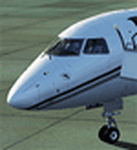
AES Configuration file for the Wilco Embraer Lineage. You will need the Payware Addon "AES" by Aerosoft.
| Filename: | Embraer_Lineage_AES_Configuration_File.zip |
| License: | Freeware |
| Added: | 16th January 2011, 02:59:59 |
| Downloads: | 382 |
| Author: | Max Herzog | Aerosoft |
| Size: | 837 B |
| Category: Flight Simulator 2004 - Miscellaneous Files | |
| Boeing 787-10 Config File |
|
File Description:
Thias is a AES Config File for TDS (Tenkuu Developers Studio)Boeing 787-10.
| Filename: | Boeing_78710_Config_File.zip |
| License: | Freeware |
| Added: | 7th August 2018, 12:46:44 |
| Downloads: | 315 |
| Author: | Thomas Reschke |
| Size: | 627 B |
| Category: Flight Simulator 2004 - Miscellaneous Files | |
| Boeing 787-9 Config File |
|
File Description:
This is a AES Configuration file for TDS (Tenkuu Developers Studio) Boeing 787-9.
| Filename: | Boeing_7879_Config_File.zip |
| License: | Freeware |
| Added: | 7th August 2018, 12:47:15 |
| Downloads: | 363 |
| Author: | Thomas Reschke |
| Size: | 625 B |
| Category: Flight Simulator 2004 - Miscellaneous Files | |
| EditVoicePack "Point Air" Importable File |
|
File Description:
I made this file in order to hear "Point Air" in the FS2004 ATC by using the Captain Sim Point Air Legendary 707. See Point Air 1980FN.zip and Point Air 1984FN.zip.
The EditVoicePack 3.1 utility is required.
| Filename: | EditVoicePack_Point_Air_Importable_File.zip |
| License: | Freeware |
| Added: | 18th November 2004, 19:00:55 |
| Downloads: | 225 |
| Author: | Frederic Nadot |
| Size: | 1.19 KB |
| Category: Flight Simulator 2004 - Miscellaneous Files | |
| Inflight Safety Announcement PDF File. |
|
File Description:
This is a 2 page PDF docuement made by Alex Whitaker and Josh Moody. It is a script of british airlines' inflight announcements. Includes cabin crew and captain announcements.
| Filename: | Inflight_Safety_Announcement_PDF_File.zip |
| License: | Freeware |
| Added: | 24th April 2005, 15:23:25 |
| Downloads: | 3,310 |
| Author: | Alex Whitaker & Josh Moody |
| Size: | 9.44 KB |
| Category: Flight Simulator 2004 - Miscellaneous Files | |
| Nostromo N52 Keypad Configuration file |
|
File Description:
'Tried and trusted' (by me, at least), N52 configuration file for Belkin Nostromo N52 keypad. Use as is, or as the starting point for your own tweaks and preferences.
| Filename: | Nostromo_N52_Keypad_Configuration_file.zip |
| License: | Freeware |
| Added: | 22nd December 2005, 22:55:31 |
| Downloads: | 149 |
| Author: | Martin Stebbing |
| Size: | 3.93 KB |
| Category: Flight Simulator 2004 - Miscellaneous Files | |
| Greek Language File For FSMetar |
|
File Description:
Greek language file for FSMetar freeware weather program by Iván José Alvarez -can be found at http://personal.telefonica.terra.es/web/fsmetar/
For all Greek speaking fellow flightsimmers.
Simply extract and put the Greek.lng file into your FSMetar/languages file.
Open FSMetar and choose Greek language by selecting the Greek.lng from FSMetar/languages file.
| Filename: | Greek_Language_File_For_FSMetar.zip |
| License: | Freeware |
| Added: | 18th January 2004, 23:35:36 |
| Downloads: | 451 |
| Author: | Fotis Eleftheriou |
| Size: | 2.12 KB |
| Category: Flight Simulator 2004 - Miscellaneous Files | |
| AES Configuration File Boeing 727 |
|
File Description:
Configuration file of the Flight1/Dreamfleet 727-200 for Aerosoft's "Airport Enhancement Services" AES
| Filename: | AES_Configuration_File_Boeing_727.zip |
| License: | Freeware |
| Added: | 20th December 2007, 12:27:26 |
| Downloads: | 1,592 |
| Author: | Luca Guidoni |
| Size: | 1.01 KB |
| Category: Flight Simulator 2004 - Miscellaneous Files | |
| Airbus A340-600 Config File |
|
File Description:
AES Configuration file for the CLS/Overland Airbus A340-600. Aerosofts AES Tool is required.
Enjoy.
| Filename: | Airbus_A340600_Config_File.zip |
| License: | Freeware |
| Added: | 1st June 2007, 00:05:19 |
| Downloads: | 2,617 |
| Author: | Michael Stempfle |
| Size: | 915 B |
| Category: Flight Simulator 2004 - Miscellaneous Files | |
| Shoot 1.6.3' Voice Contro File |
|
File Description:
"Shoot 1.6.3" voice control file for use with FS2004. You will need to download the main "freeware" program from http://clans.gameclubcentral.com/shoot/downloads.php which will allow you to make use of this control file for FS2004. The program is brilliant and allows you to control FS2004 by voice and it's totally free! All I have done is made a config file that works very well with FS2004.
It will allow you to; speak to ATC and instead of fighting with the keyboard or yoke/stick so you can fly more like a real pilot and keep your hands on the yoke more of the time. For example a commercial jet pilot calls out to the co-pilot to get the gear up and simply says "gear up". That's just what you will have to do, just like the real thing; the gear will go up when you make the call. When FS2004 ATC controller tells you to reply you can just say "roger" or "hello" or "ATC" or "air traffic" etc, etc, and the ATC window will pop up. Then all you have to do is call out the command instead of pushing buttons that real pilots don't use. Does a real pilot push a button to look out of the window or use a "mouse" to engage the autopilot?
Similarly you can call out "autopilot engage" or "autopilot master" or "autopilot disengage" and that's just what happens; the autopilot comes on/off. The best part though is when you try looking around the cockpit. If you want to move your head up you just say "move up" and presto you are higher up in your seat. You can move to the left or
Right, back or forward. You can say "zoom in" and that's what happens. You can say "reset zoom" and so on. You can say "next view" and then the view may be outside or another panel. Alternatively, you can say "panel 2" and the radio panel will come up in the 737 so you can tune the radios. If you have FS navigator installed all you have to
do is say "navigator" and the map comes up, and then say navigator again and off it goes. Just for once it is easy and possible to make full use of FS2004. Using this program has afforded me the opportunity of making better use of the views available, (and I have CH products yoke so if was never hard) but now it's even easier.
All the panels can be activated in this way, and control of the autopilot and control of FS2004. It's probably the best kept secret. I've made a file so we can all share in this freebie of a program. I've included a readme and instructions of how to make the best use of the program.
Config file for FS2004 only is provided.
| Filename: | Shoot_163_Voice_Contro_File.zip |
| License: | Freeware |
| Added: | 7th January 2004, 19:52:26 |
| Downloads: | 8,796 |
| Author: | Peter Wilding |
| Size: | 21.83 KB |


© 2001-2026 AVSIM Online
All Rights Reserved
Privacy Policy |