
Where Flight Simulation Enthusiasts Gather from Around the World!
AVSIM Library - Search Results

| Category: Flight Simulator X - Gauges | |
| Cockpit Sounds and Cold and Dark for ND MD902 |

|
Images related to this file:
File Description:
Two gauges are included. One to add sounds on each switch and lever and to make to cockpit alive. The other for a true Cold and Dark start. When the helicopter is loaded all switches are off. You can install one or both gauges as you want. Made for payware MD902 by Nemeth Design only. By Daniel Gauthier.
| Filename: | Cockpit_Sounds_and_Cold_and_Dark_for_ND_MD902.zip |
| License: | Freeware |
| Added: | 28th April 2014, 07:01:46 |
| Downloads: | 194 |
| Author: | Daniel Gauthier |
| Size: | 153.59 KB |
| Category: Flight Simulator X - Gauges | |
| Cockpit Sounds and Cold and Dark for ND AS355 |
|
Images related to this file:
File Description:
FSX Sounds And Cold And Dark For ND AS355. Two gauges are included. One to add sounds on each switch and lever and to make to cockpit alive. The other for a true Cold and Dark start. When the helicopter is loaded all switches are off. You can install one or both gauges as you want. By Daniel Gauthier.
| Filename: | Cockpit_Sounds_and_Cold_and_Dark_for_ND_AS355.zip |
| License: | Freeware |
| Added: | 30th April 2014, 16:45:45 |
| Downloads: | 234 |
| Author: | Daniel Gauthier |
| Size: | 230.29 KB |
| Category: Flight Simulator X - Gauges | |
| Flypad Gauge |
|
Images related to this file:
File Description:
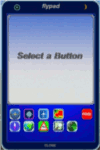
This gauge has been developed on Win7 for FSX Flight Simulator SP2 or SP1.It should also work with Acceleration, but this is not guaranteed by the author. The gauge is a little extra addon based on the design of a smart phone and provides 9 different displays which are different from all of the standard gauge displays on a regular aircraft panel. It is mainly helpful for the user flying small propeller aircraft, and old timer aircraft. However, the displays are as well attractive for sim pilots flying modern jet aircraft. Use it as if you just grabbed to your smart phone during a flight and check on the status of your aircraft,
or how the terrain awareness situation looks like, how the AI traffic on the radar is, while you proceed with your flight plan. Enjoy the new design of a simple aircraft attitude display during an ILS approach. For credits look at the pdf documentation inside the zip file. By Dietmar Loleit
| Filename: | Flypad_Gauge.zip |
| License: | Freeware |
| Added: | 6th June 2014, 20:59:12 |
| Downloads: | 396 |
| Author: | Dietmar Loleit |
| Size: | 3.82 MB |
| Category: Flight Simulator X - Gauges | |
| Beachcraft Baron 58 AP-Alt-VS-Fuel Gauge v1 |
|
Images related to this file:
File Description:
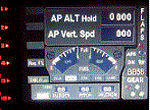
This gauge is for use in the Saitek FIP and has been developed specifically for the Baron 58 (FSX default) but also works fully with the E55. The gauge looks nothing like what you will find in the BB58 but I have incorporated the components that are found at the lower right side of the control yoke. It has been designed to complement the Saitek AP / Multi panel and to fit between the yoke and the multi panel.
The gauge is primarily to show the selected AP Altitude and Vert Spd whilst the AP / multi panel is displaying HDG. Placing it to the left of the AP / multi panel and at lower right side of the yoke puts all the elements of this gauge in roughly the position they would be found in a BB58. The 5 light indicators are just an addition I thought would be handy to have. The landing light indicator is right next to the
landing gear warning lights and acts as a reminder to have them on by the time the gear goes down.
| Filename: | Beachcraft_Baron_58_APAltVSFuel_Gauge_v1.zip |
| License: | Freeware |
| Added: | 6th July 2014, 14:12:53 |
| Downloads: | 191 |
| Author: | Robert Budd |
| Size: | 283.4 KB |
| Category: Flight Simulator X - Gauges | |
| AP - Alt - VS MultiFuel Flaps v1 |
|
Images related to this file:
File Description:
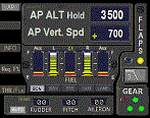
This gauge is for use in the Saitek FIP and is an extension to my recent Baron 58 (FSX default) gauge . That gauge was designed for a specific aircraft whilst this package of three gauges has the same functionality of the BB58 gauge but will work on all aircraft. Each of the three gauges displays fuel level for different tanks but are identical in all other respects. As part of your pre-flight checklist you will need to make sure the right gauge for the aircraft is being displayed.
The set of 3 gauges have been designed to complement the saitek AP / Multi panel. The gauges primarily show the selected AP Altitude and Vert Spd whilst the AP / multi panel is displaying HDG. Five indicators for "lights on" are included as well as lights for landing gear (in transition and down) . The flaps indicator shows a blue light for intermediate positions and a yellow light when at full down position. A separate flaps position indicator (numerical and needle) is included. The 5 fuel indicators in each gauge are vertical analogue 'meters'. Rudder and aileron trim is displayed and controlled by the two FIP rotary knobs. Pitch trim readout and other functions is included.
NOTE. This package includes a pitch trim image file that was inadvertently left out of my original BB58_AP_Alt_VS_and_Fuel_v1.zip folder.
| Filename: | AP__Alt__VS_MultiFuel_Flaps_v1.zip |
| License: | Freeware |
| Added: | 12th July 2014, 07:40:09 |
| Downloads: | 400 |
| Author: | Robert Budd |
| Size: | 183.72 KB |
| Category: Flight Simulator X - Gauges | |
| V-One Gauge for Captain Sim L-1011/F |
|
Images related to this file:
File Description:
List of features: Approximately 40 sounds integrated into gauge.
Take-off V-Speeds calculated for Flaps 10, 18 or 22.
Take-off command speed automatically set for V2 + 15.
Maneuvering speed for each flap selected.
Optimum altitude and optimum EPR (EPR calc for M.84) continually calculated.
Take-off trim calculated for current gross weight.
Current Altitude, EPR, Speed (knts), Flaps and Trim displays via toggle.
Display units can be toggled between LB and KG (default LB).
Re-settable flight timer. Re-settable fuel use.
Selectable Vref landing configurations, Vref33 (default) or Vref42.
ZFW, Fuel, CG, Gross Weight and Barometric Pressure MSL (QNH) displayed.
| Filename: | VOne_Gauge_for_Captain_Sim_L1011F.zip |
| License: | Freeware, limited distribution |
| Added: | 20th July 2014, 21:01:19 |
| Downloads: | 1,194 |
| Author: | Paul Tally, Stefan Liebe, Jimmy Foong |
| Size: | 5.28 MB |
| Category: Flight Simulator X - Gauges | |
| Flypad Gauge V2.0 |
|
Images related to this file:
File Description:
FSX, Flypad Gauge Version 2.0
This gauge has been developed on Win7 for FSX Flight Simulator SP2 or SP1.It should also work with Acceleration, but this is not guaranteed by the author. The gauge is a little extra addon based on the design of a smart phone and provides 9 different displays which are different from all of the standard gauge displays on a regular aircraft panel. It is mainly helpful for the user flying small propeller aircraft, and old timer aircraft.
However, the displays are as well attractive for sim pilots flying modern jet aircraft. Use it as if you just grabbed to your smart phone during a flight and check on the status of your aircraft, or how the terrain awareness situation looks like, how the AI traffic on the radar is, while you proceed with your flight plan. Enjoy the new design of a simple aircraft attitude display during an ILS approach. A new screen for LAT/LON coordination control and distance/bearing calculation has been added to this version in addition with a number of improvements.For credits look at the pdf documentation inside the zip file. By Dietmar Loleit
| Filename: | Flypad_Gauge_V20.zip |
| License: | Freeware |
| Added: | 2nd August 2014, 17:50:45 |
| Downloads: | 779 |
| Author: | Dietmar Loleit |
| Size: | 4 MB |
| Category: Flight Simulator X - Gauges | |
| Modern Autopilot & Radio DC-3 and C-47 Skytrain |
|
File Description:
The DC-3 Dakotas and the C-47 Skytrains are/were equipped with the Sperry gyropilot, an early version autopilot. For those pilots who want to use a more modern AP/Radio device, I have replaced the Sperry and build in modern AP/Radio gauges, fully integrated into the VC panel.
| Filename: | Modern_Autopilot__Radio_DC3_and_C47_Skytrain.zip |
| License: | Freeware |
| Added: | 14th August 2014, 10:53:50 |
| Downloads: | 710 |
| Author: | Tim van Ringen |
| Size: | 95.21 KB |
| Category: Flight Simulator X - Gauges | |
| AP_MultiFuel_Gauges for FIP |
|
Images related to this file:
File Description:
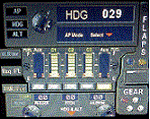
This set of 3 gauges is for use in the Saitek FIP and is an extension to my FIP gauge. That set of 3 gauges was designed to complement the Saitek AP/Multi panel and primarily showed the selected AP Altitude and Vert Spd whilst the Saitek AP/multi panel was displaying HDG. The second main part of those gauges were the Fuel Level displays, each gauge displaying a different combination of fuel tanks to suit the aircraft being flown and thus offered functionality for all types of aircraft.
This set of 3 gauges is designed for the same purpose but now encompasses a working AP that allows you to select HDG, ALT and VS values and activate the HDG and ALT mode (and AP master switch) to enable auto-pilot flight (for those who have a FIP but not an AP/multi panel).
For those who have an AP/multi panel, it gives a backup AP in your build/rig (although it all works off the same FS telemetry, I have found that when the AP/multi-panel freezes, especially the 'Alt' button, then this FIP gauge can de-activate it. The combinations displayed are those that suit my choice of aircraft, however it is easy to re-configure gauge Elements (fuel tank names) and artwork (fuel gauge titles) to suit the combination you prefer.
These gauges also retain the gear, flaps and light indicators, auto rudder on/off button plus rudder and aileron trim capability that were in the previous gauges. An additional feature is the battery switch will now turn off the AP display and fuel levels.
The artwork in these gauges has also been upgraded a bit and a template artwork is included to assist in customising.
| Filename: | AP_MultiFuel_Gauges_for_FIP.zip |
| License: | Freeware |
| Added: | 20th October 2014, 16:00:33 |
| Downloads: | 266 |
| Author: | Robert Budd |
| Size: | 764.26 KB |
| Category: Flight Simulator X - Gauges | |
| FIP - 5 Gauge Display - 2 Engine |
|
Images related to this file:
File Description:
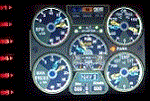
This set of gauges is for use in the Saitek FIP and has been developed specifically for the Baron 58 and variants but should work with other twin prop aircraft. There are 3 options-
option 1. a pair of gauges for displaying on 2 FIPs (layout is similar to the fsx BB58 layout)
option 2. One gauge for displaying only on 1 FIP (left and right eng needle on each of the 5 main instruments )
option 3. a pair of gauges for displaying on 2 FIPs with larger diameter gauges and more user interaction than in 1. above.
1,2, & 3 all have the 5 main engine instrumentation ( RPM, Manifild Pressure, Fuel Flow rate, Oil Temp and Pressure, CHT/EGT Temp.) Additional features are added .e.g Marker Beacon indicators plus indicator of left / right fuel tank selected for each engine, NAV 1 & NAV 2 with DME data.
Option 1 & 3 also has fuel pump switches, alternator switches, starter buttons, cowl flaps and Amps (total load) gauge, and Battery volts gauge.
Option 3 also has additional avionics data and avionics and battery switch buttons. All this enables the aircraft to be started from cold and shut down to cold. The avionics data is useful if you only have one Saitek radio panel. i.e. dont have to keep clicking / rotating switches all the time. This option also gives user ability to alter NAV 1 standby frequency and swap to active.
With the 2 gauges in option 3 above plus my earlier FIP gauge containing a working Auto pilot and fuel levels / flaps and landing gear indicators (refer "FIP-AP Multi Fuel Gauges") there is everything required (not the primary flight display instruments) for flying a single or twin prop aircraft displayed across either 2 or 3 FIPs.
| Filename: | FIP__5_Gauge_Display__2_Engine.zip |
| License: | Freeware |
| Added: | 30th October 2014, 06:24:58 |
| Downloads: | 250 |
| Author: | Robert Budd |
| Size: | 2.4 MB |


© 2001-2026 AVSIM Online
All Rights Reserved
Privacy Policy |