
Where Flight Simulation Enthusiasts Gather from Around the World!
AVSIM Library - Search Results

| Category: Flight Simulator X - Utilities | |
| Pseudo Full Screen Autohotkey Script |

|
File Description:
This is a small autohotkey script: pressing Win+F11 maximizes any window
and removes the window title bar, buttons and borders; pressing Win+F11 again
restores the window to its previous size and position.
This makes flying in 'full screen' possible whilst still having access to
addons on a secundary monitor.
Autohotkey needs to be downloaded and installed first.
| Filename: | Pseudo_Full_Screen_Autohotkey_Script.zip |
| License: | Freeware |
| Added: | 16th April 2011, 12:36:20 |
| Downloads: | 4,249 |
| Author: | Maarten Boelens |
| Size: | 1.57 KB |
| Category: Prepar3D V1-4 - Scenery | |
| FERRY and BOAT pack for The SHETLANDS |
|
File Description:
For P3D and FSX. - For all users = Replacement of default ferries by Shetland specific ferries, at YELL SOUND, SYMBISTER-LAXO, FETLAR-BELMONT, OUTER SKERRIES, PAPA STOUR, FAIRISLE.
For SODE users. Pseudo moving ferries (not really moving but they work) at Lerwick and Unst crossings.
I have adjusted my older "SHETLAND SHIPS" so these traffic files are included.
https://youtu.be/Mvp2g8IrKRo
| Filename: | FERRY_and_BOAT_pack_for_The_SHETLANDS.zip |
| License: | Freeware, limited distribution |
| Added: | 22nd February 2020, 16:21:55 |
| Downloads: | 200 |
| Author: | john watts |
| Size: | 1.02 MB |
| Category: Flight Simulator 2004 - Miscellaneous Files | |
| Home-build MCP for PMDG 737 NG |
|
File Description:
This is an approach for home-build a genuine working MCP for use over the monitor screen. (pseudo Touch screen).
The basic idea is build a MCP into the easiest way. With use not expensive components and the most simplified mode of construction. This project contemplates that anybody with a little hand ability can build in home his one.
The main idea is using the available information in the MCP screen panel (Course, Heading, Altitude displays, etc). Also the press buttons lights have his own and a very particular logic, information which is very important to remains usable for the pilot.
| Filename: | Homebuild_MCP_for_PMDG_737_NG.zip |
| License: | Freeware |
| Added: | 21st June 2004, 16:24:55 |
| Downloads: | 1,559 |
| Author: | Dirk Trotteyn |
| Size: | 653.35 KB |
| Category: Prepar3D V1-4 - Aircraft Repaints, Textures and Modifications | |
| Douglas C-47 (VP-BAP) Bahamas Airways |
|
Images related to this file:
File Description:

This folder contains a repaint for P3Dv4.5 PBR version of the Douglas C-47 by Manfred Jahn and colleagues in the colors of C-47A-20-DK VP-BAP of Bahamas Airways. It was built as 43-93226 and became NC47259 after the war. It went to Jamaica Airways as VP-JAP and then to Bahamas Airways in 1947. Later it was painted in a pseudo BOAC scheme when BOAC bought an interest in Bahamas Airways. It was later sold to BWIA and became VP-TBF. Repaint by Jan Kees Blom for Manfred Jahn's C-47 for P3Dv4.5, with PBR, Rivet and bump detail by Ted (Tufun) Wolfgang."
| Filename: | Douglas_C47_VPBAP_Bahamas_Airways.zip |
| License: | Freeware |
| Added: | 15th December 2019, 19:05:23 |
| Downloads: | 223 |
| Author: | Jan Kees Blom |
| Size: | 23.57 MB |
| Category: Orbiter - Spaceships | |
| Stanford Torus Space Station v1.5 |
|
File Description:
Updated with MUCH nicer and smaller textures!!
What will future space colonization realistically look like? What is it like to approach a rotating station almost 2km in diameter?
The Stanford Torus is based on a design created during a 10 week program in 1975 held at NASA’s Ames Research Center and Stanford University. The project participants considered how to create a practicable permanent colony in space using existing technology at minimum cost. The habitat is over 1800m in diameter and spins at 1 rpm to provide 1g of pseudo-gravity.
Package includes a scenario to fly from the ISS up to a GEO rendez-vous with Stanford, as well as documentation on the station itself.
INSTALLATION: You need Vinka's spacecraft.dll to use this add-on. A link is provided in the documentation. 1. Unzip files into your Orbiter directory, preserving the directory structure in the zipfile. 2. Load up the Stanford scenario in the Stanford directory in the Orbiter start window. 3. Enjoy the trip!
| Filename: | Stanford_Torus_Space_Station_v15.zip |
| License: | Freeware |
| Added: | 18th March 2005, 05:47:26 |
| Downloads: | 640 |
| Author: | Steven Ouellette |
| Size: | 976.08 KB |
| Category: Orbiter - Spaceships | |
| Stanford Torus Space Colony v1.0 |
|
File Description:
What will future space colonization realistically look like? What is it like to approach a rotating station almost 2km in diameter?
The Stanford Torus is based on a design created during a 10 week program in 1975 held at NASA’s Ames Research Center and Stanford University. The project participants considered how to create a practicable permanent colony in space using existing technology at minimum cost.
The habitat is over 1800m in diameter and spins at 1 rpm to provide 1g of pseudo-gravity.
Package includes a scenario to fly from the ISS up to a GEO rendez-vous with Stanford, as well as documentation on the station itself. I am looking for a texture artist to do the station justice, since my textures are pretty sad. Please contact me at [email protected] if you are interested.
INSTALLATION: You need Vinka's spacecraft.dll to use this add-on. A link is provided in the documentation.
1. Unzip files into your Orbiter directory, preserving the directory structure in the zipfile.
2. Load up the Stanford scenario in the Stanford directory in the Orbiter start window.
3. Enjoy the trip!
| Filename: | Stanford_Torus_Space_Colony_v10.zip |
| License: | Freeware |
| Added: | 25th January 2005, 16:07:13 |
| Downloads: | 438 |
| Author: | Steven Ouellette |
| Size: | 9.44 MB |
| Category: Orbiter - Spaceships | |
| Stanford Torus Space Colony v1.0 |
|
File Description:
What will future space colonization realistically look like? What is it like to approach a rotating station almost 2km in diameter?
The Stanford Torus is based on a design created during a 10 week program in 1975 held at NASA’s Ames Research Center and Stanford University. The project participants considered how to create a practicable permanent colony in space using existing technology at minimum cost.
The habitat is over 1800m in diameter and spins at 1 rpm to provide 1g of pseudo-gravity.
Package includes a scenario to fly from the ISS up to a GEO rendez-vous with Stanford, as well as documentation on the station itself. I am looking for a texture artist to do the station justice, since my textures are pretty sad. Please contact me at [email protected] if you are interested.
INSTALLATION: You need Vinka's spacecraft.dll to use this add-on. A link is provided in the documentation.
1. Unzip files into your Orbiter directory, preserving the directory structure in the zipfile.
2. Load up the Stanford scenario in the Stanford directory in the Orbiter start window.
3. Enjoy the trip!
| Filename: | Stanford_Torus_Space_Colony_v10.zip |
| License: | Freeware |
| Added: | 26th January 2005, 14:32:11 |
| Downloads: | 370 |
| Author: | Steven Ouellette |
| Size: | 2.07 MB |
| Category: Prepar3D V1-4 - Utilities | |
| Flightplan Visualizer 1.12 |
|
Images related to this file:
File Description:
Flightplan Visualizer (FV) version 1.12.0. Copyright 2018-2019 by Pelle F. S. Liljendal ([email protected]), all rights reserved.
FV comes with 540 pre-imported Commercial AI flightplans (+380 BizJet flightplans are available as a separate download). However you are able to import additional (AI) flightplans yourself. Once imported these (AI) flightplans can be visualized on a map-view, and the user will be able to search accross all these. Hence you can use the program as inspiration as to which routes to fly. E.g. you can search across all imported flightplans to find all flights in an A321 flying into/out from LDDU, or simply to look for all flights in a Boeing 747-8F.
Simply run the included installer to install the software. The program will be installed into "C:\Program Files (x86)\Flightplan Visualizer" and all datafiles will be installed into: "C:\Users\[UserName]\AppData\Roaming\FlightplanVisualizer". The program comes with a full manual explaining everything, and a 3 page quick manual to get you started. The first 3 times you run the program the quick manual will automatically open. The forum is hosted here: https://forum.aerosoft.com/index.php?/forum/919-flightplan-visualizer/
Version 1.12 Contains the following changes: ⦠Ability to automatically check for available program-updates. The actual download of the new installer is still a manual process, but the program will at least list the download-URL. However You cannot see this feature in action until the next version will be released ;-) Updated the flightplan file-format to accommodate changes in the latest versions of (AI) flightplans. The program remains backward compatible and can still read older flightplans, however these might “miss†some (at this time) non-essential information. As a result all “Wi18-19†and “Su19†(and a few “Su18) flightplans have been re-imported and have been bundled with the version 1.12 installer, using the new file-format. Added new "Generate redirection report" button to the redirection edit form. Pressing this button will generate- and display a report of all active pseudo airports and redirections per flightplan. Added new menu-item to re-process all flightplans, according to specified airport-redirections. The "UserAirportRedirect.xml" file bundled with the installer have been updated, based on output from the new "Generate redirection report". These updated airport-redirections have been used to re-process/update all flightplans bundled with the installer. Buttons have been added to the "Leg Info" which allows you to transfer data for a particular leg/flight from FV to SimBrief in order to kick-start your "paper work" for a flight to fly. The "Leg Info" form also got buttons to show decoded METAR/TAF, and the raw METAR/TAF is also embedded in the text copied to the clipboard (when pressing the appropriate button). In settings you can now speficy the path of the folder holding the files that MakeRunway generates (if not specified it will use the UserData folder). Once set to the folder where MakeRunway generates its files (e.g. the P3D folder), you only have to run MakeRunway, you no longer have to copy the 3 files to the UserData folder. A few new traffic-charts were added to the "Airport Info" form (traffic per: region, sub-region and country), and a combo-box was added to switch between inbound- and outbound-traffic. The "Nearby Airport" form that can be opened from the "Flightplan Import" form now have an extra comment-column with information about the non-pseudo/pseudo airports. The comment column on the airport tab-sheet of the "Flightplan Import" form now also contains more info about non-pseudo/pseudo airports. The Generic Randomizer form got a new button called "Pick random flight", which will display info for a flight, randomly picked from all flights for the selected flightplan, or last search. In the "Search legs" form, you can now enter multiple ICAO-codes (separated by comma) to search for flights to/from these (e.g. search for all flights to/from EBLG or ELLX, by entering "EBLG,ELLX"). If you press SHIFT while clicking the airport browser button, the selected airport will be added to the comma separated list. If you do not hold SHIFT, the list will only contain the newly selected airport. Added support for using FS Global Real Weather (FSGRW) as a Weather provider for METAR-messages (FSGRW does not support TAF-messages). To use FSGRW you must go to settings and specify a full path (including filename) of the file generated by FSGRW. When editing a flightplan the user will be warned if trying to close the form, if changes were made. The menu-item to generate report with all defuct-/obsolete flightplans have been removed from the main-menu, but can now be generated using a button on the "Enable/disable flightplans" form. Now all applicable authors are shown when hoovering the mouse over the flightplan combo-box when a search is active. In previous versions the "Edit" buttons next the flightplan combo-box (on the main form) was only active when a flightplan was selected. Now its also active when "[Last Search]" is selected. However it will instead launch the "Search Legs" form, where you can then edit the criteria of the search. A few airports and airlines have been added/updated in the data-files bundled with the updated installer to accommodate the additional bundled flightplans. The Beluga XL Freighter was added as well as many of the other aircraft were updated with various changes. Added support for a bunch of military aircraft: A6/AE6, A10, C5, C17, E2, E3, EF2000, F14, F15, F16, F18, F22, F35, F111, F117, JAS39, KC10, KC135, MiG 21/23/25/27/29/31, Mirage III/5/2000, Rafale, SU 17/20/22/24/25/27/30/32/34, V22. New "Exclude military aircraft" setting have been added (defaults to true). When true military aircraft will not be shown (can be changed in the settings form). Added new menu-item to load/display current log-file. FV tend to be somewhat memory-hungry while (re)loading all active flightplans, and you might see a peek in memory consumption. But from this release and forward it will try to free up most of the memory once all flightplans have been loaded. Minor changes to the "Enable/disable flightplans" form, to make it more responsive, and added a progressbar that is visible while flightplans are being moved, copied or deleted. Fixed: issue when trying to import a flightplan zip-file containing multiple "Flightplan_XXX" files. If the same zip contains multiple sets of matching files (Flightplan, Aircraft and Airport) the user will now be presented with a combo-box from where the user can pick which set of files to import (only the flightplan-file will be shown). Fixed: The file "f5.csv" was missing from previous installers. Fixed: issue with pseudo-airports when using the "Nearby airports" tab-sheet in the Airport Info form. Fixed: Saving a flightplan that was edited, it would try to save it in the (flightplan) [ROOT] folder even if it was loaded from a sub-folder. Now it will always try to save it in the same location with the same filename. If you want it saved elsewhere/with another filename use the "Save As" button in stead. Imported flightplans will still be saved to the [ROOT] flightplan folder. Fixed: Pressing ENTER in the Flightplan import/edit-form while the comments-field had focus, would close the form (saving the flightplan). Fixed: Result-viewer will no longer display with all text selected. Fixed: METAR/TAF decoder will no longer display with raw-message selected. Fixed: In some cases the program needed to be restarted if changes were made to the weather-provided data in the settings-form. Installer: Comes with +30 new pre-imported (Summer 2019) flightplans of which some are replacements of obsolete flightplans (from previous installers), and 2 of the "old" flightplans have been marked as defunct.
Pelle
| Filename: | Flightplan_Visualizer_112.zip |
| License: | Freeware, limited distribution |
| Added: | 23rd August 2019, 17:15:13 |
| Downloads: | 195 |
| Author: | Pelle Liljendal |
| Size: | 30 MB |
| Category: Flight Simulator 2004 - Scenery | |
| Airstrips of the Falkland Islands |
|
Images related to this file:
File Description:
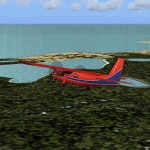
Inspired by Jim Keir's Falkland Islands mesh, coastlines and landclass, herewith a couple of dozen little strips from around the area, to give the opportunity to generate a bit of GA AI (and possibly a few scheduled flights) in an otherwise relatively ignored area in the South Atlantic. Please do note, other than Stanley, most of these airstrips are just that, a cleared strip of land in an otherwise empty landscape, (just as they are in real life), simply to provide a variety of destinations for the occasional aircraft to or from Stanley.
Most of the airfield locations are listed on WikiPedia and the layout confirmed using on-line satellite imagery. Other than the two main airports, none of these airstrips seem to have "official" ICAO codes, so I've generated a selection of alpha-numeric codes in the SF0* configuration, (as Stanley Airport has the ICAO code of SFAL), so the FS9 AI engine has some codes to work with and the airfields can be found on the map. Hopefully these pseudo-codes won't clash with anything else.
As with my other sceneries, the files for each airstrip can be easily identified by the ICAO code, even if the airfield names vary slightly, so you can pick and choose and mix and match to suit any sceneries you already have, should you so wish. There is no requirement for any other download. Each airstrip will exist as a stand-alone entity should you only want a few of them.
Having said that, Paul Denton's AFCAD and scenery for EGYP Mount Pleasant (available on AVSIM and possibly elsewhere) might be considered a worthwhile addition, especially if you want to see the twice-weekly scheduled RAF flights from Brize Norton (via Ascension Island), and the Saturday LATAM flight from Chile. Suitable AFCADs for EGVN Brize Norton and SCCI Punta Arenas may also be required. Appropriate traffic files and aircraft/texture suggestions are provided.
Please read the remainder of this "blurb" in the included text file, there may be a couple of details of interest.
| Filename: | Airstrips_of_the_Falkland_Islands.zip |
| License: | Freeware |
| Added: | 30th March 2025, 18:55:33 |
| Downloads: | 86 |
| Author: | Chris Eve |
| Size: | 295.87 KB |
| Category: Prepar3D V1-4 - Utilities | |
| Flightplan Visualizer 1.11 |
|
Images related to this file:
File Description:
Flightplan Visualizer (FV) version 1.11.0. Copyright 2018-2019 by Pelle F. S. Liljendal ([email protected]), all rights reserved.
FV comes with 540 pre-imported Commercial AI flightplans (+380 BizJet flightplans are available as a separate download). However you are able to import additional (AI) flightplans yourself. Once imported these (AI) flightplans can be visualized on a map-view, and the user will be able to search accross all these. Hence you can use the program as inspiration as to which routes to fly. E.g. you can search across all imported flightplans to find all flights in an A321 flying into/out from LDDU, or simply to look for all flights in a Boeing 747-8F.
Simply run the included installer to install the software. The program will be installed into "C:\Program Files (x86)\Flightplan Visualizer" and all datafiles will be installed into: "C:\Users\[UserName]\AppData\Roaming\FlightplanVisualizer". The program comes with a full manual explaining everything, and a 3 page quick manual to get you started. The first 3 times you run the program the quick manual will automatically open. The forum is hosted here: https://forum.aerosoft.com/index.php?/forum/919-flightplan-visualizer/
Version 1.11 Contains the following changes: The file-format of the Flightplan-files was changed to accommodate some planed changes. The program remains backward compatible, so "old" flightplans can still be loaded. I wanted to implement these changes BEFORE I began importing new flightplans, to ensure these new/updated flightplans are all utilizing the new format. On startup the old flightplans will automatically be converted to the new format. The new installer now comes bundled with 540 commercial flightplans (schedules:22291, legs:699158) whereas the old one "only" contained 300 commercial flighplans (schedules:16786, legs:536198). All BizJet flightplans were removed from the installer and are now available as a separate download. A new settings-form have been added to eliminate the need to manually edit the settings-file using a text-editor. A new menu-item have been added which opens an explore window browsing the content of the UserData folder. Individual (disabled) flightplan-files can now be permanently deleted via the "Enable/disable flightplans" form. Flightplan sub-folders (with exception of "Disabled") can now be marked as "enabled" (using a check-box). Meaning that the flightplans in these will be also loaded on startup (along with the files in the root-folder). Using the "Enable/disable flightplans" form you can now both move and copy flightplans (based on the value of the radio-buttons). A creator-field have been added to flightplans, which can be entered when you import/edit a flightplan. The name of the creator is displayed as a tool tip when hoovering the mouse over the combo-box in the bottom of the main-form. When importing new Flightplans the program will try to grab creator and provider from the files bundled with the flightplan. Likewise a button is added to the import-form which list the content of the text-files (e.g. "ReadMe.txt"), in case you need to manually grab the creators name from this file. Both when importing- and editing flightplans a new column have been added to the airport list-view containing comments regarding airports that have been redirected (from one ICAO to another), or airports classified as pseudo-airports (in case the airport does not exists in the flightsim). The elevation-column from previous versions was removed to make more room for the comment-column. Added a new form to edit airport-redirections (redirect from one ICAO to another on import). In the airport-info form you can now switch between showing flights for the selected flightplan/last search and all flights to/from the airport being displayed. Added a new "Nearby Airports" tab-sheet to the Airport-info form, which shows a distance-sorted list of nearby airports. In the previous versions all new aircraft were automatically added to the selection of favorite aircraft. From version 1.11 you must manually choose which are your favorites (upgrading from a previous version, your current selection of favorites will NOT be changed). First letter of decoded-metar is now changed to uppercase, and a checkbox lets you decide if you want to perserve line-breaks in the decoded text copied to the clipboard. Switched position of "Save" and "Cancel" buttons in airport-info form, to match layout of other forms. Like elsewhere in the program, the airport search-browser now lists the icao-codes with an asterisk (*) for each airport that is a pseudo airport. Greatly improved the responsiveness/performance of the browser-forms, when searching for : Airports, Airlines and Aircraft. Managed to shave off a few 10th of a second loading/processing data at startup. Added support for additional Aircraft. Many of the Airports in the supplied data-files were updated likewise some new Airlines were added as well. Made the importer stronger to import flightplans where aircraft names are not in quotes, and multiweek days are written as "1/3" in stead of "10". Fixed: When manually redirecting an airport during import, the flightplan was not visualized corretly until re-loading the flightplan (e.g. restarting the program). Fixed: Closing the Enable/Disable-flightplan using other means than the close-button would not make the program re-load active flightplans afterwards. Fixed: Several of the combo-boxes on the airport-info form allowed text being entered into them. Fixed: Corrected an issue with map-caching.
Pelle
| Filename: | Flightplan_Visualizer_111.zip |
| License: | Freeware, limited distribution |
| Added: | 7th July 2019, 18:15:30 |
| Downloads: | 227 |
| Author: | Pelle Liljendal |
| Size: | 29.95 MB |


© 2001-2026 AVSIM Online
All Rights Reserved
Privacy Policy |